


How to Download the WEEX App: iOS, Android, APK and TestFlight Guide
The WEEX app is available on both iOS and Android, with several official download options depending on your device and region. If you are looking for a WEEX app download, you can install WEEX through the Apple App Store, Google Play, TestFlight, or the official WEEX Android APK.
Choosing the correct WEEX app download method is important, especially if the app is not available in your local app store. WEEX provides alternative official installation options for both iPhone and Android users.
This guide explains how to download the WEEX app on iOS and Android, how to install the WEEX APK, and how to use TestFlight when needed.
Where Can You Download the Official WEEX App?
The safest place to start your WEEX app download is the official WEEX website.
WEEX currently provides multiple download options for different devices and operating systems. Depending on your device and region, these include the Apple App Store, TestFlight and AltStore PAL for iOS users, as well as Google Play, Android APK and HarmonyOS options for other supported devices.
For most users, the standard App Store or Google Play version is the simplest option. If the WEEX app is unavailable through your local app store, you can check the alternative download methods provided through the official WEEX download page.
Always use official WEEX channels when downloading the app. Avoid APK files or installation links from unknown websites, social media posts or unofficial third parties.
How to Download the WEEX App on iOS
If you use an iPhone, you can download the WEEX app through the Apple App Store where it is available.
Start by opening the App Store on your iPhone and searching for WEEX. You can then download and install the app following the normal App Store installation process.
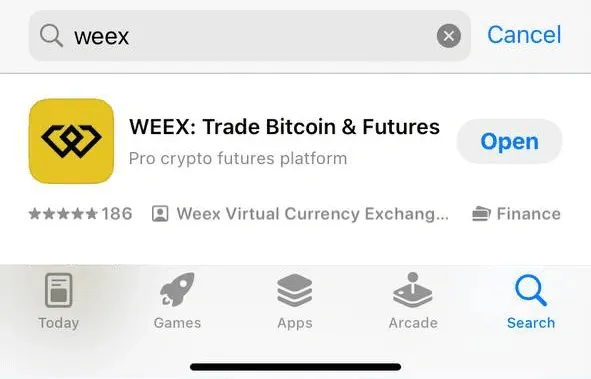
Availability can depend on the country or region associated with your Apple ID. If you cannot find WEEX in your App Store, this may be related to regional availability rather than a problem with your device.
In that situation, WEEX provides additional iOS installation options through its official download channels. Before installing the app, make sure you are using the official download link provided by WEEX rather than searching for installation files through an unknown third party website.
How to Download WEEX With TestFlight
TestFlight is another official installation option available to iOS users.
Apple TestFlight allows users to install beta versions of apps through Apple's own testing platform. WEEX provides a TestFlight option through its official download channels for users who need an alternative way to access the WEEX app on iOS.
To use this method, you first need Apple's TestFlight app installed on your iPhone. You can then access the WEEX TestFlight invitation through the official WEEX download page and follow the instructions shown on your device.
Because TestFlight is a beta distribution service, it is different from downloading the standard WEEX app directly through the App Store.
If you use the TestFlight version, always enter through the official WEEX link to make sure you are accessing the correct application.
How to Download the WEEX App on Android
Android users can download WEEX through Google Play where the app is available.
Open Google Play and search for WEEX, then follow the normal installation process. According to WEEX's official Android download guide, the official Android developer is listed as WEEX PRO.
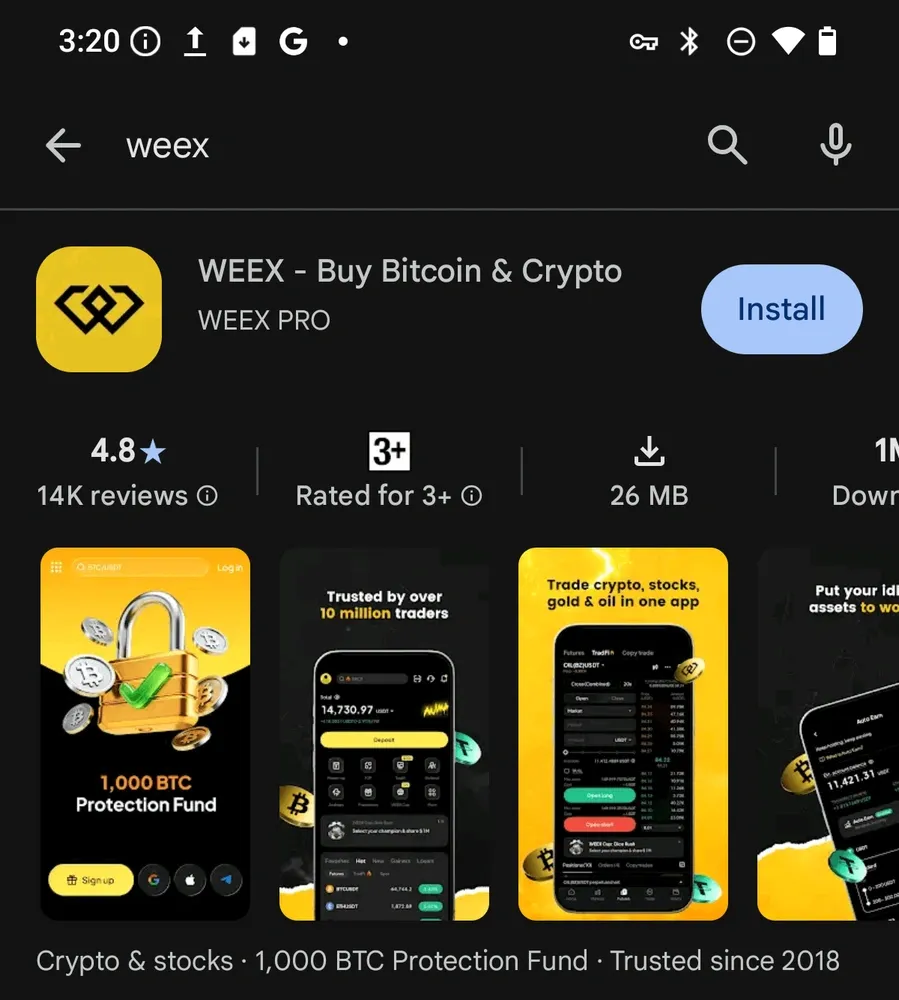
Checking the developer information is one way to help confirm that you are installing the correct application.
If you cannot access WEEX through Google Play, WEEX also provides an official Android APK download option. This allows Android users to install the app directly without relying on Google Play. Both options should be accessed through official WEEX channels.
How to Download and Install the WEEX APK
An APK is an Android application package used to install apps directly on Android devices. The WEEX APK provides an alternative for users who cannot download the app through Google Play.
To download the WEEX APK, visit the official WEEX download page and select the Android APK option.
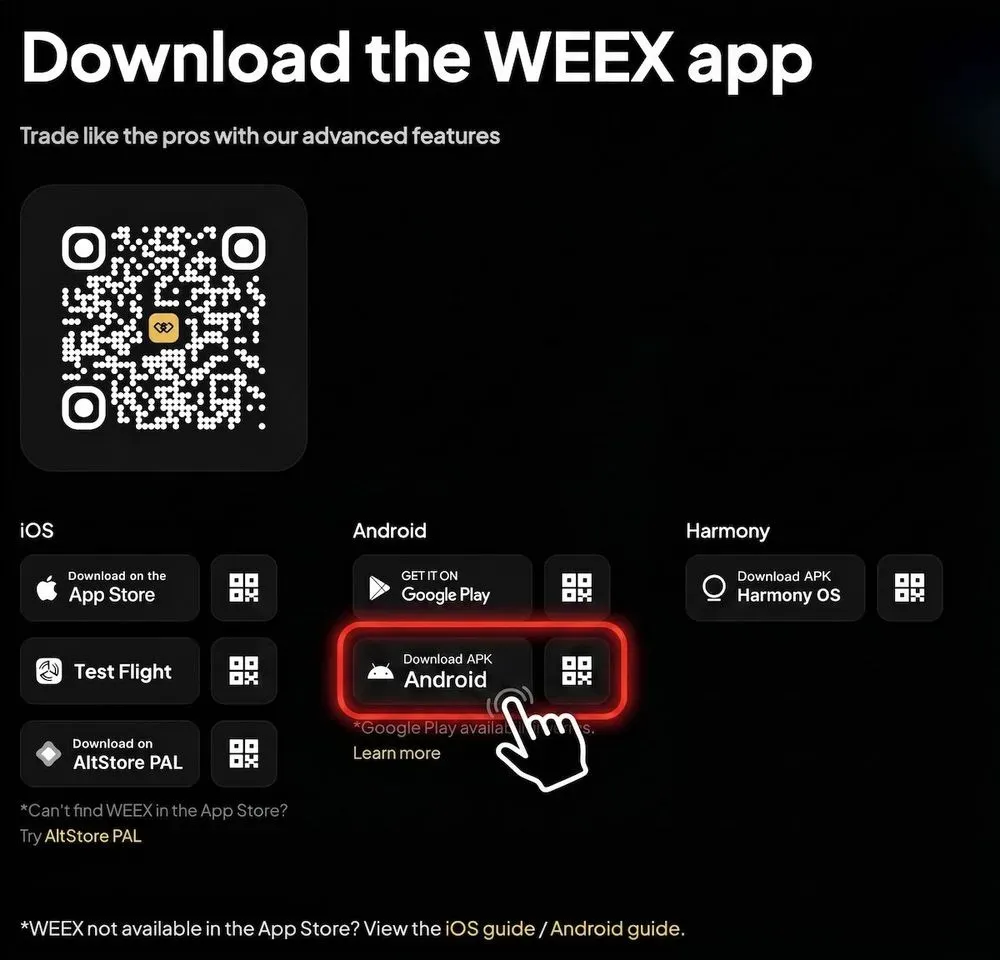
Once the APK file has been downloaded, open the file on your Android device and follow the installation instructions displayed on the screen.
Depending on your Android settings, your device may ask for permission before allowing an APK installation. Follow the prompts shown by your device to continue. After installation is complete, you can open the WEEX app normally.
Because APK files can also be distributed through unofficial websites, make sure your WEEX APK download comes directly from an official WEEX source. Do not install a WEEX APK sent through an unknown message or downloaded from an unverified third-party site.
What If You Cannot Download the WEEX App?
If you cannot find WEEX in the Apple App Store or Google Play, first check whether app availability is affected by your account region.
For iOS users, WEEX provides alternative installation options including TestFlight. The official WEEX download page also lists AltStore PAL as an available iOS option.
For Android users, the official WEEX APK provides an alternative to Google Play. The correct option therefore depends on your operating system and which download methods are available for your device and region.
Rather than downloading the first WEEX installation file you find through a search engine, return to the official WEEX download page and select one of the available installation methods there.
How to Make Sure You Are Downloading the Official WEEX App
Checking the source is especially important when downloading a crypto trading app.
Use the official WEEX website or the download links provided through the WEEX Help Center. Android users downloading from Google Play can also check that the developer information matches the official information provided by WEEX.
Be particularly careful with APK files. An APK can be installed outside Google Play, which makes it important to confirm where the file comes from before opening it.
The same principle applies to TestFlight. Use the TestFlight invitation provided through WEEX's official channels rather than an invitation link from an unknown third party.
If you are unsure whether a download link is official, return to the WEEX website instead of continuing through the third-party link.
Conclusion
You can download the WEEX app on iOS or Android using the official installation method available for your device and region. Standard options include the Apple App Store and Google Play, while WEEX also provides alternatives such as TestFlight for iOS and the official WEEX APK for Android.
Whichever method you choose, access the download through official WEEX channels and verify the source before installing the app. If WEEX is unavailable in your local app store, check the official WEEX download page for the alternative installation options currently supported for your device.
FAQ
1. Where can I download the WEEX app?
Through the official WEEX website. Depending on your device and region, available methods include the Apple App Store, Google Play, TestFlight, and the official Android APK.
2. How do I download the WEEX app on iPhone?
Through the Apple App Store, where WEEX is officially listed. If the app isn't available in your App Store region, check WEEX's official download page for supported alternatives such as TestFlight.
3. How do I download the WEEX APK?
Through WEEX's official download page. After downloading the APK file, open it on your Android device and follow the on-screen installation instructions.
4. Can I download WEEX through TestFlight?
Yes. WEEX offers a TestFlight installation option for iOS users through its official download channels. Use Apple's TestFlight app together with WEEX's official TestFlight invitation, not an unknown third-party link.
5. What should I do if WEEX isn't available on Google Play or the App Store?
Check the alternative installation methods on WEEX's official download page. Android users can use the official WEEX APK, while iOS users may have access to options such as TestFlight depending on device and region.

Gainers


