
Popular topics

Popular topics

Tutorial—OTC buy crypto with NGN via bank transfer
By: WEEX
|
0
Tutorial—OTC buy crypto with NGN via bank transfer
Quick guide: Buy crypto with NGN via bank transfer
Web
Method 1
Step 1: Go to the official website, find "Buy Crypto" in the top navigation bar, and enter the "Quick Buy" page.

Step 2: Select "NGN" as your fiat currency and "USDT" as the crypto you want to buy. Enter the amount of NGN you'd like to pay, and the crypto amount will be calculated automatically.
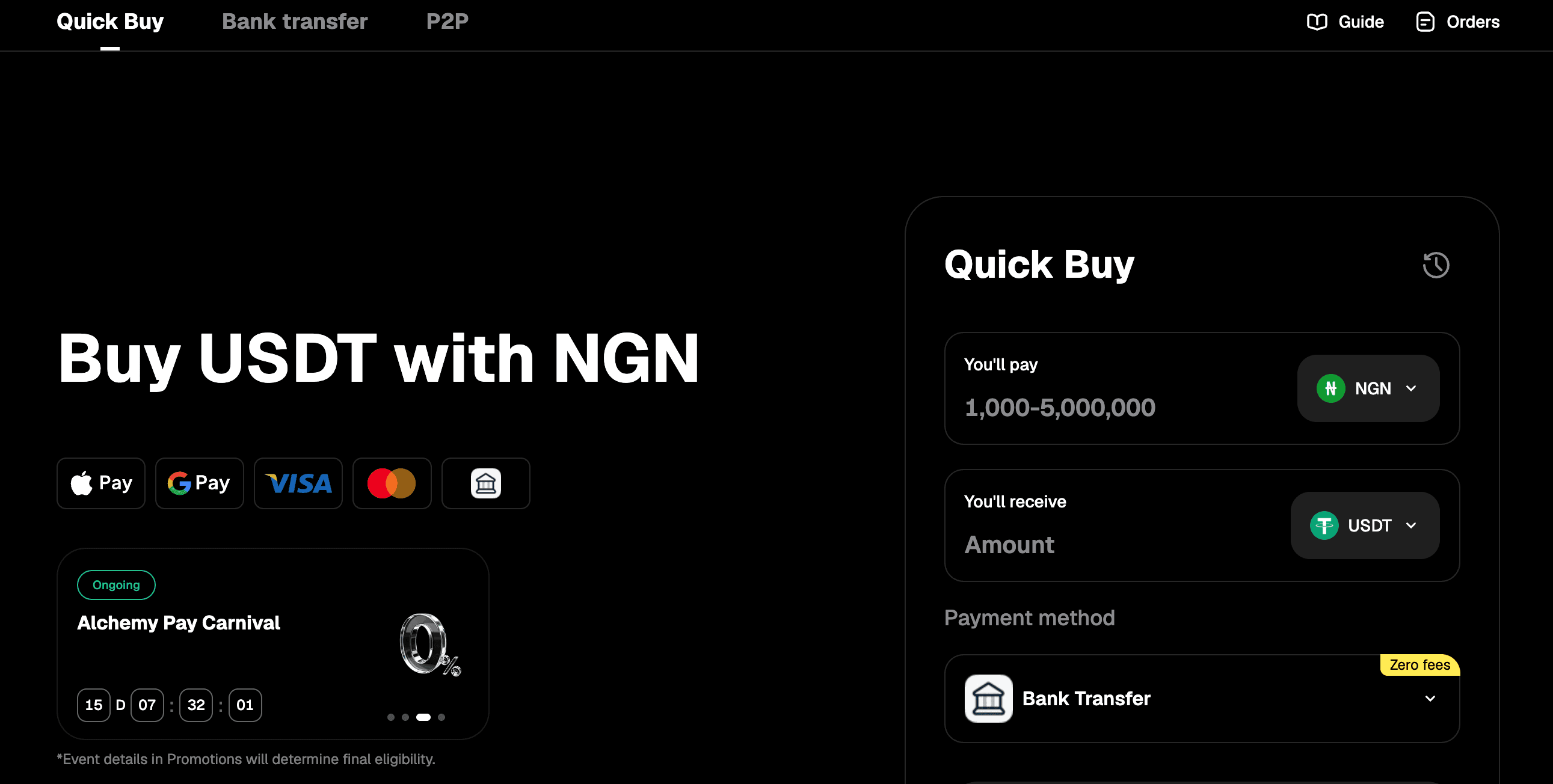
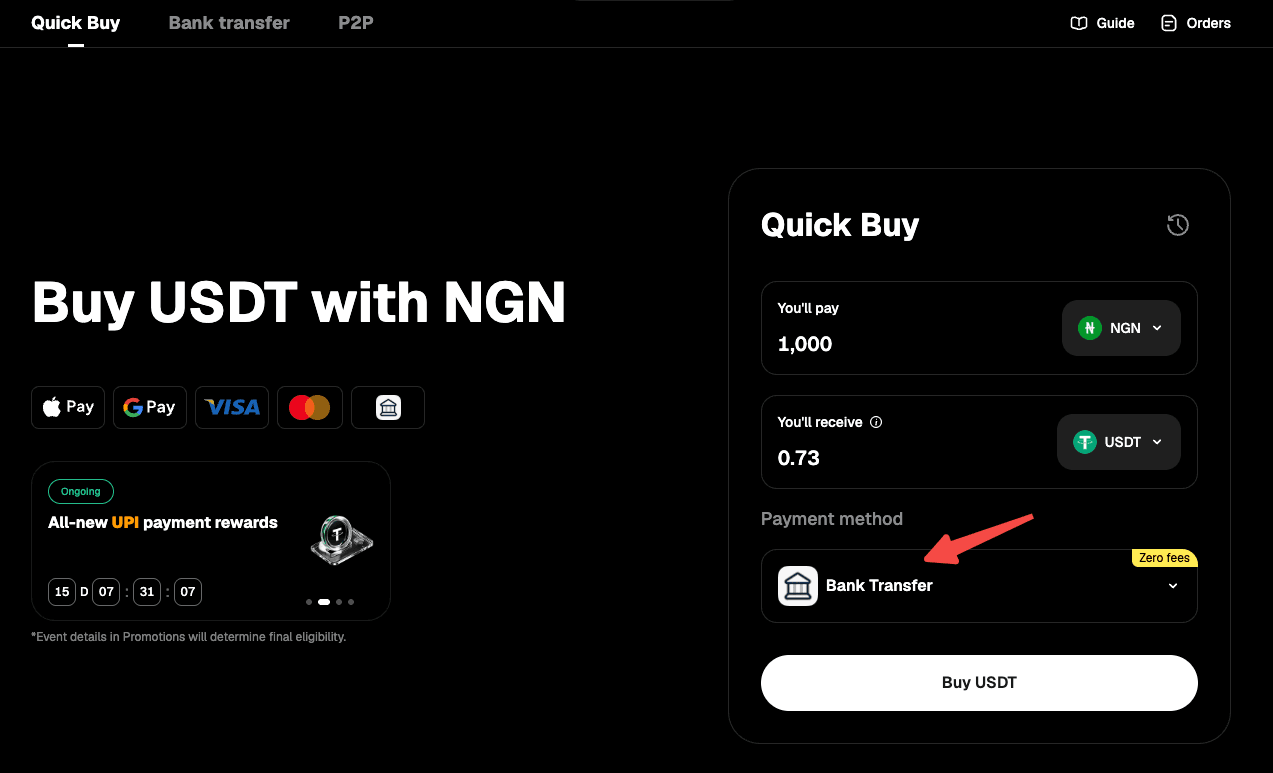
Step 3: Choose "Bank Transfer" as your payment method.
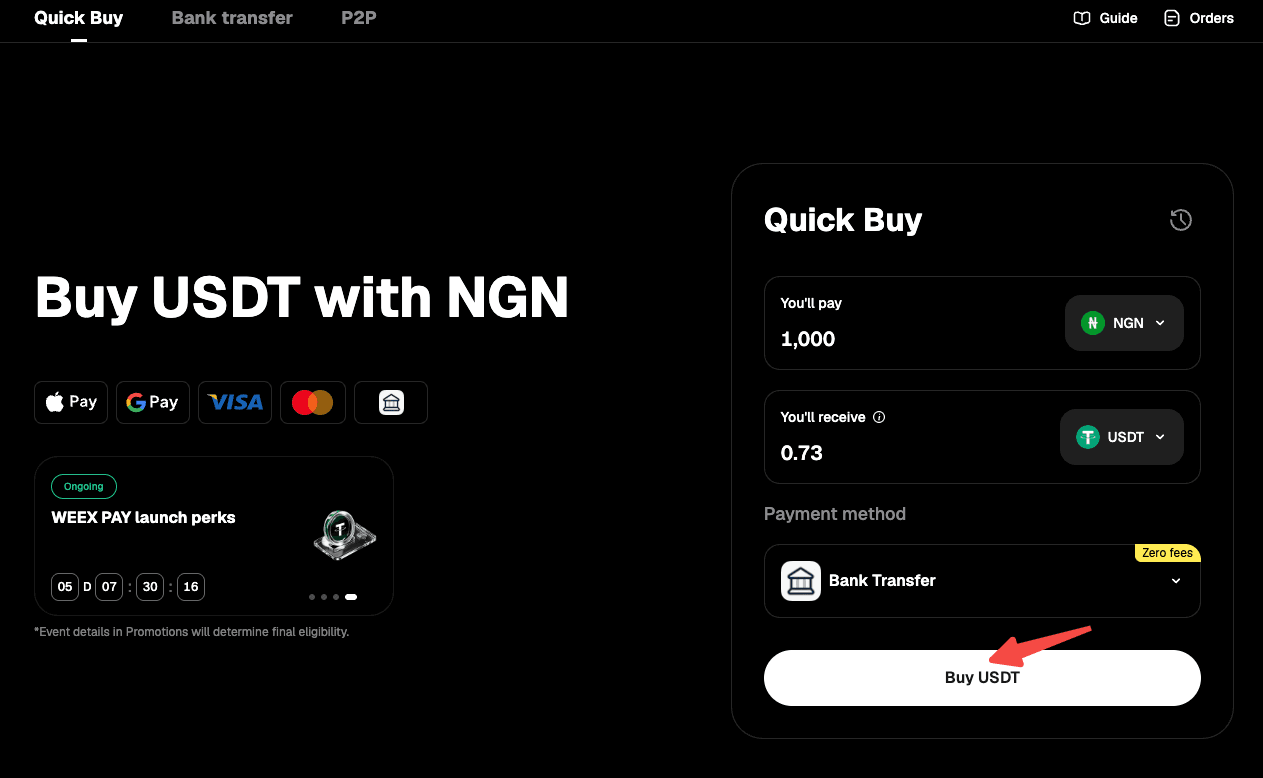
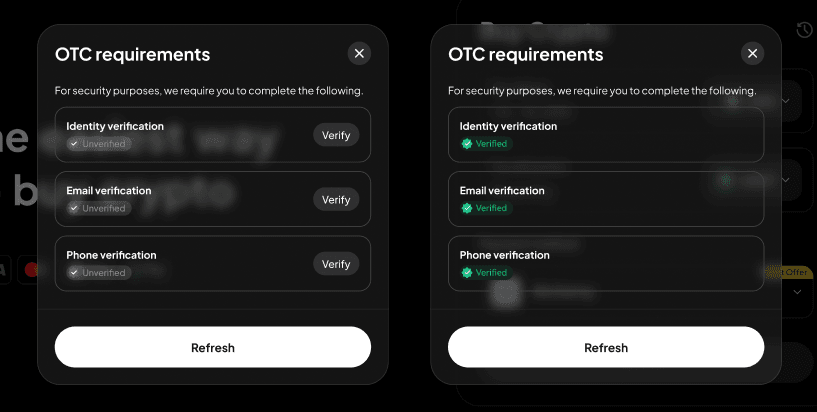
Step 4: Use the "Buy" button to proceed. Note: If you haven't completed identity verification or linked your email address and phone number, you'll be directed to Step 5. If you've already done so, you'll proceed to Step 6.
Step 5: Follow the on-screen instructions to complete identity verification and link your email address and phone number, then wait for approval.
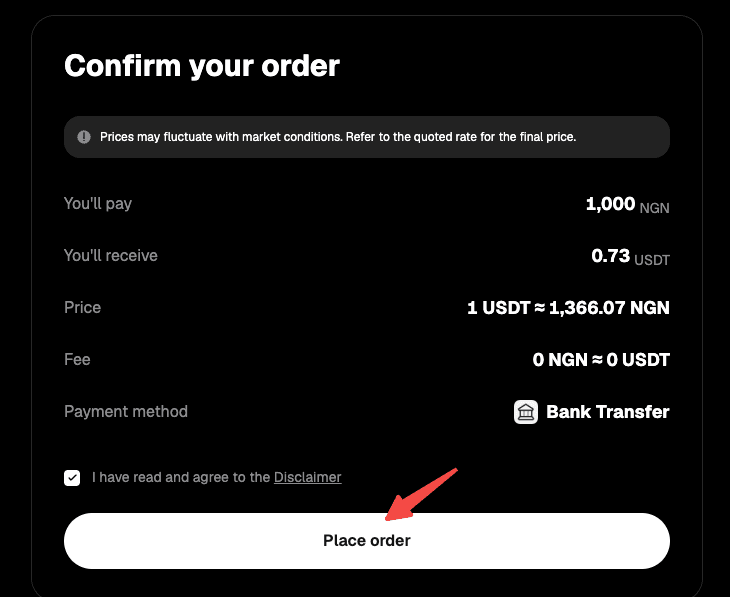
Step 6: Confirm the order details, then proceed with "Place Order."
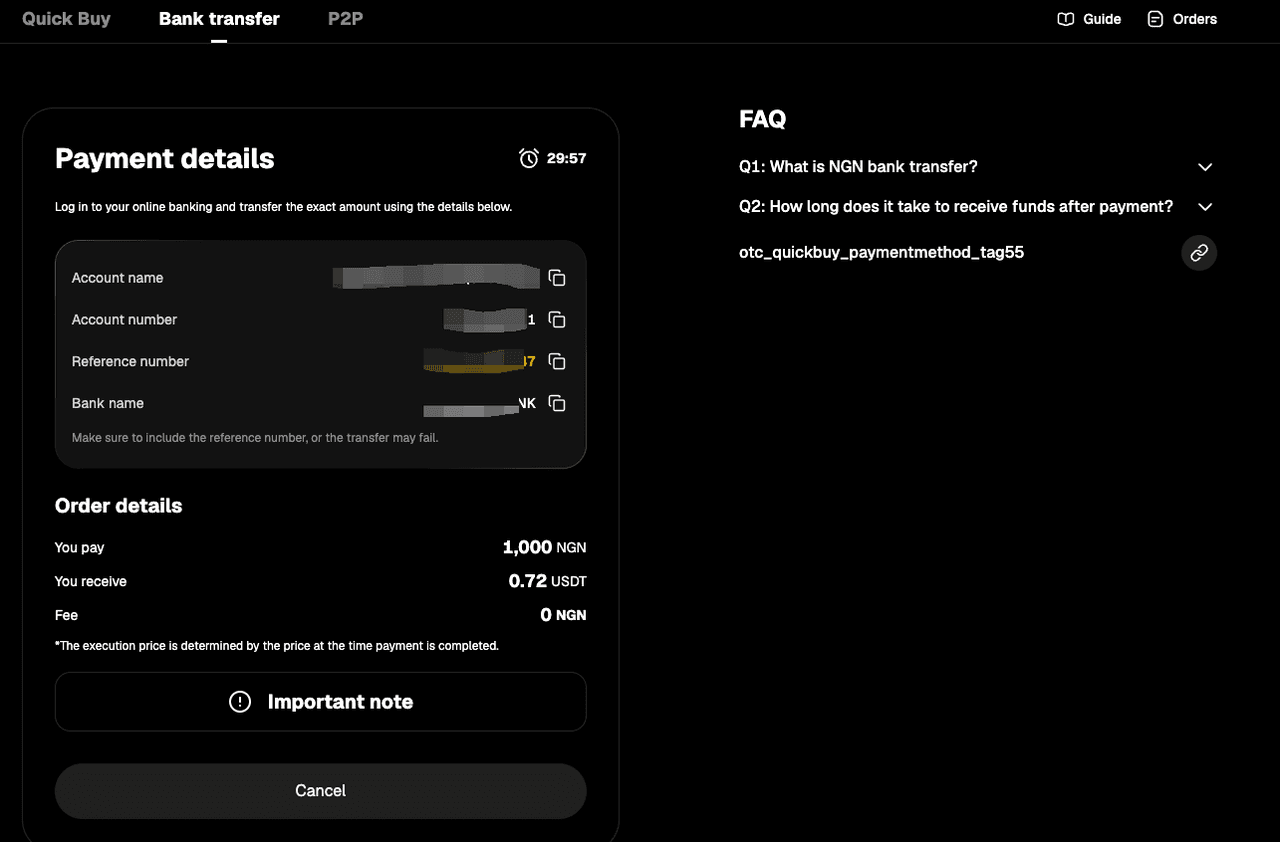
Step 7: You'll receive the bank transfer details. Double-check all information and complete the transfer within 15 minutes.
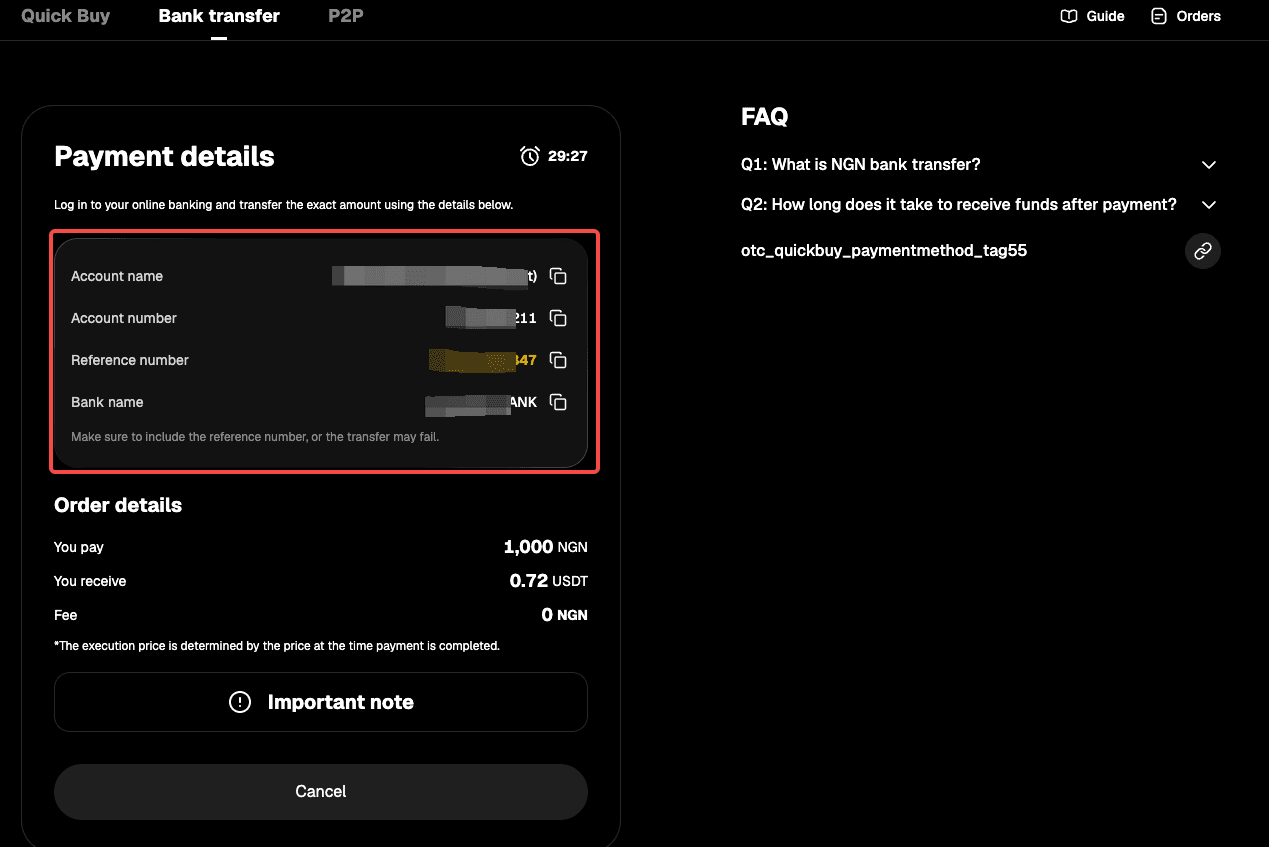
Step 8: Open your mobile banking app and complete the payment. Note: Enter the account name, account number, and reference number correctly to ensure smooth processing.
Step 9: Wait while the transaction is being processed. Your order will be completed automatically once payment is received. You can check the status in "Fiat Orders."
Method 2
Step 1: Go to the official website, find "Buy Crypto" in the top navigation bar, and enter the "Quick Buy" page.

Step 2: Select "Bank Transfer" to enter the "Bank Transfer" page.
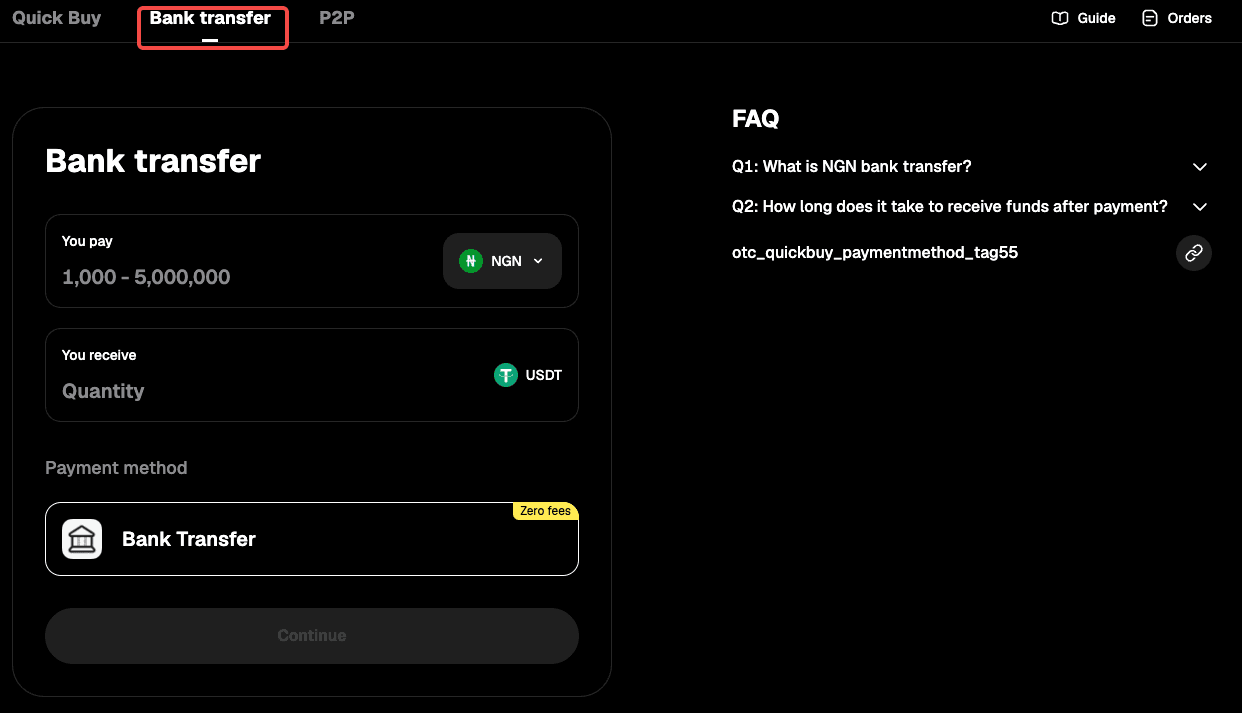
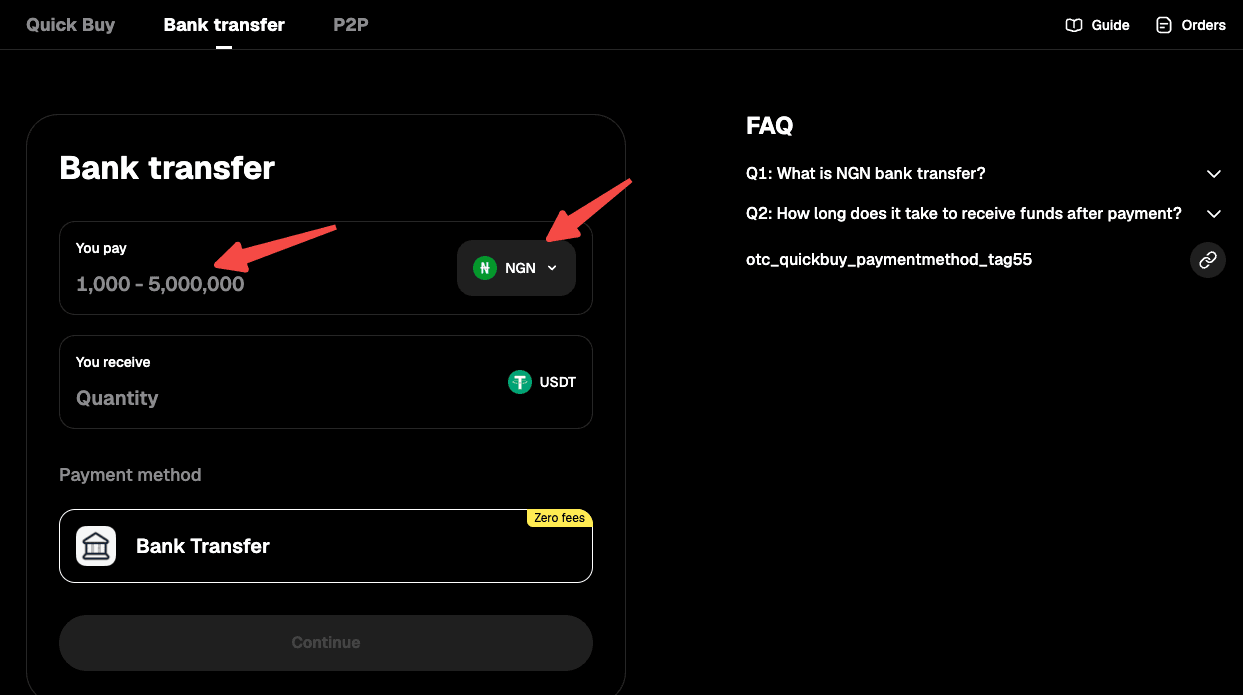
Step 3: Select "NGN" as your fiat currency, then enter the amount you want to pay and see the estimated crypto you'll receive in real time.
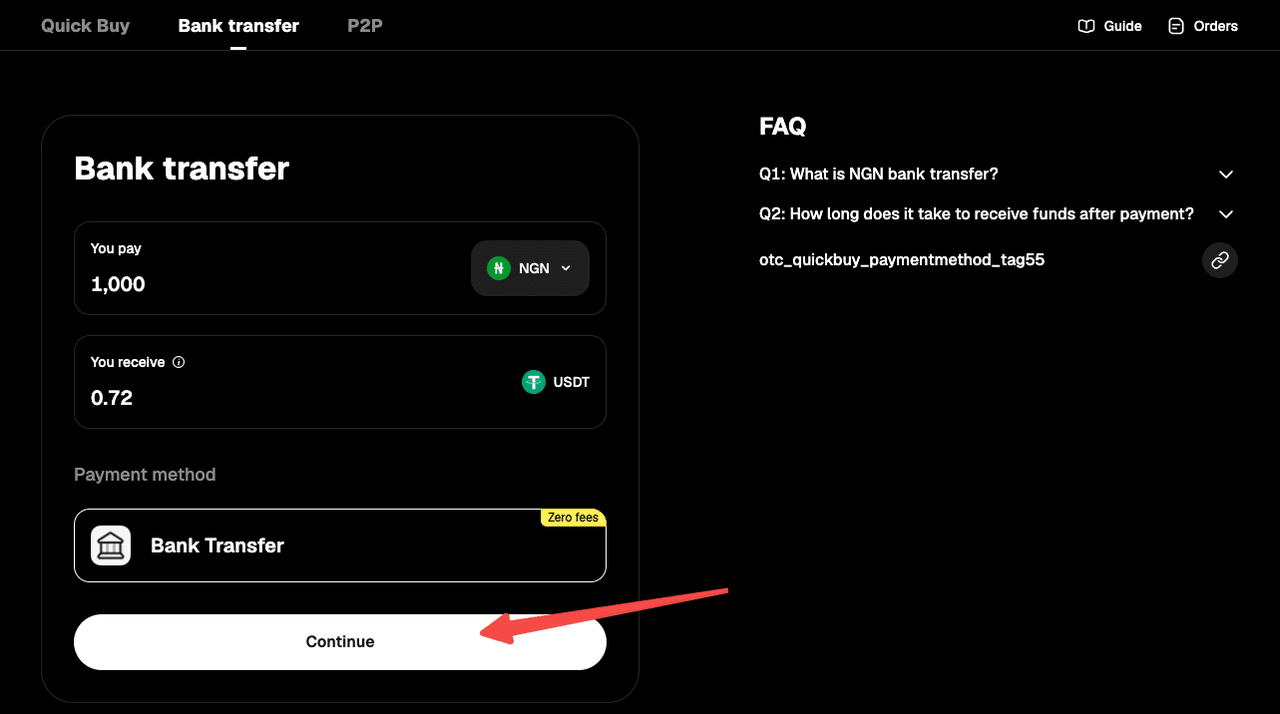
Step 4: Select "Continue" to proceed. Note: If you haven't completed identity verification or linked your email address and phone number, you'll be directed to Step 5. If you've already done so, you'll proceed to Step 6.
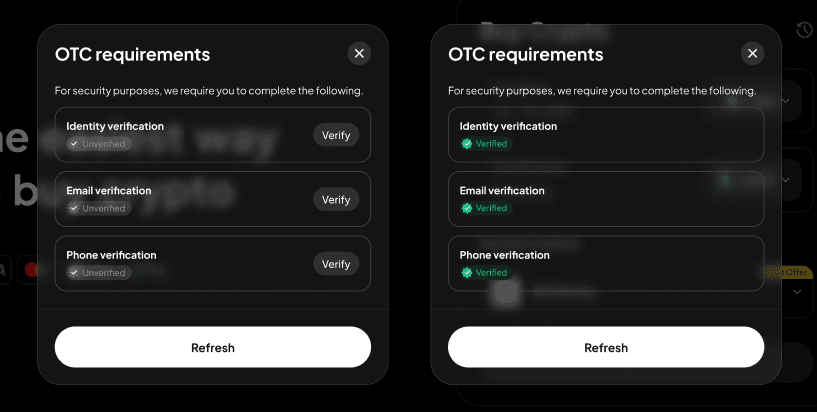
Step 5: Follow the on-screen instructions to complete identity verification and link your email address and phone number, then wait for approval.
Step 6: You'll receive the bank transfer details. Double-check all information and complete the transfer within 15 minutes.
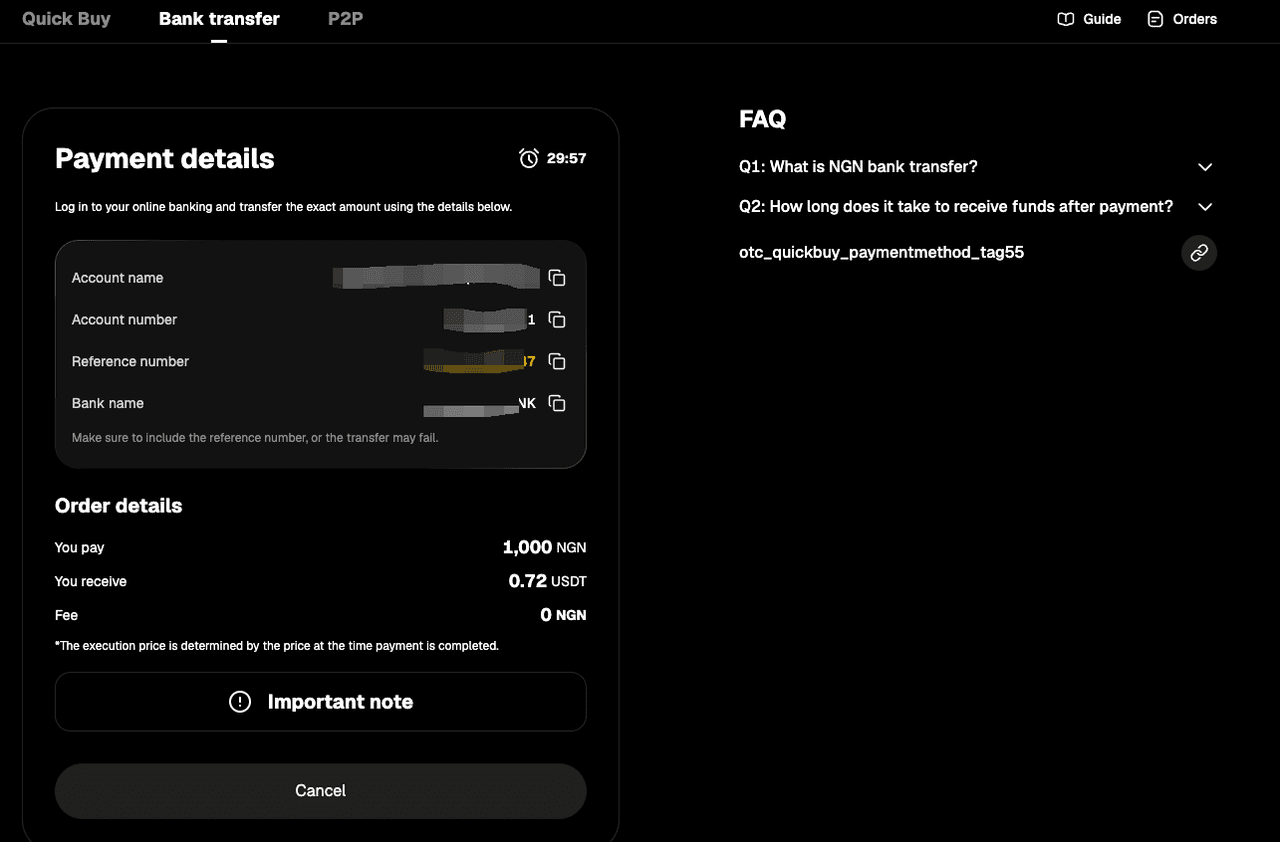
Step 7: Open your mobile banking app and complete the payment. Note: Enter the account name, account number, and reference number correctly to ensure smooth processing.
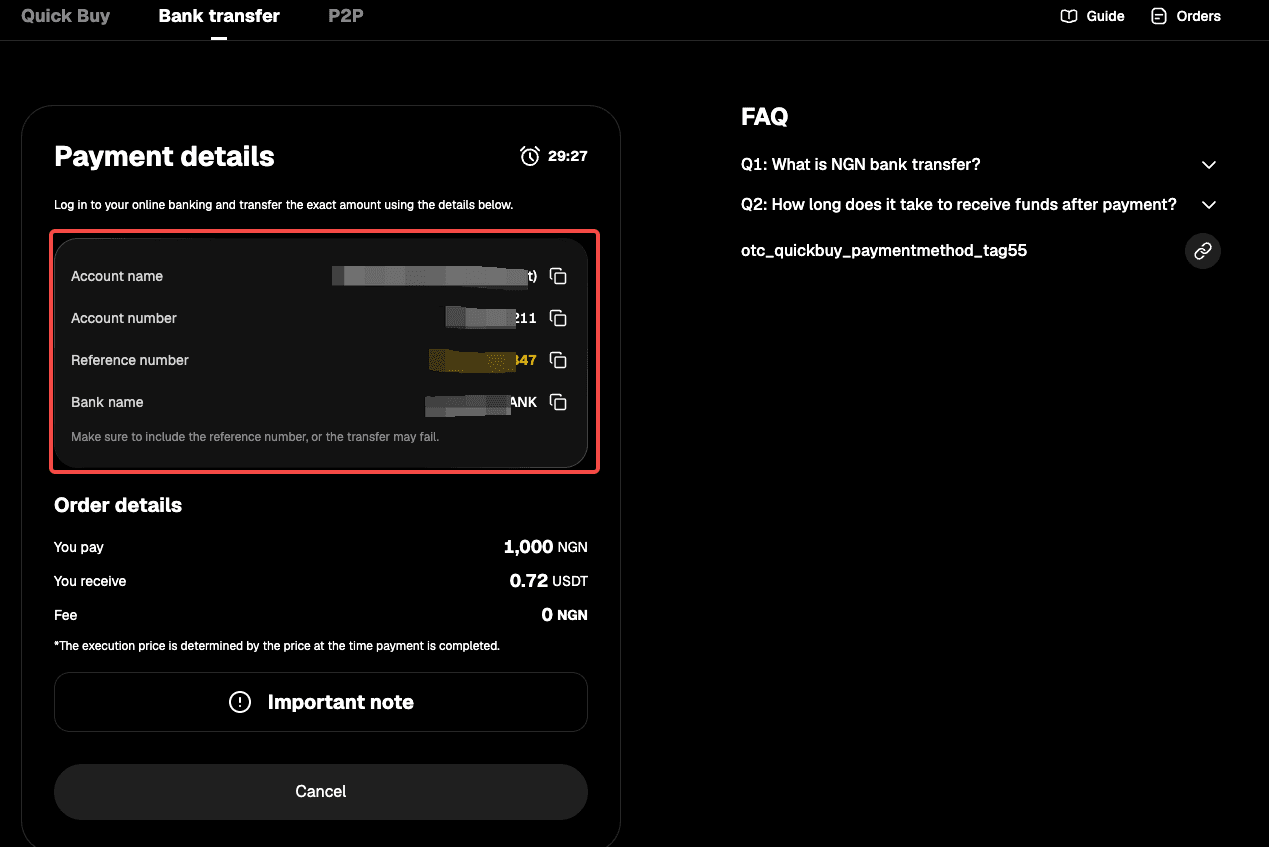
Step 8: Wait while the transaction is being processed. Your order will be completed automatically once payment is received. You can check the status in "Fiat Orders."
App
Method 1
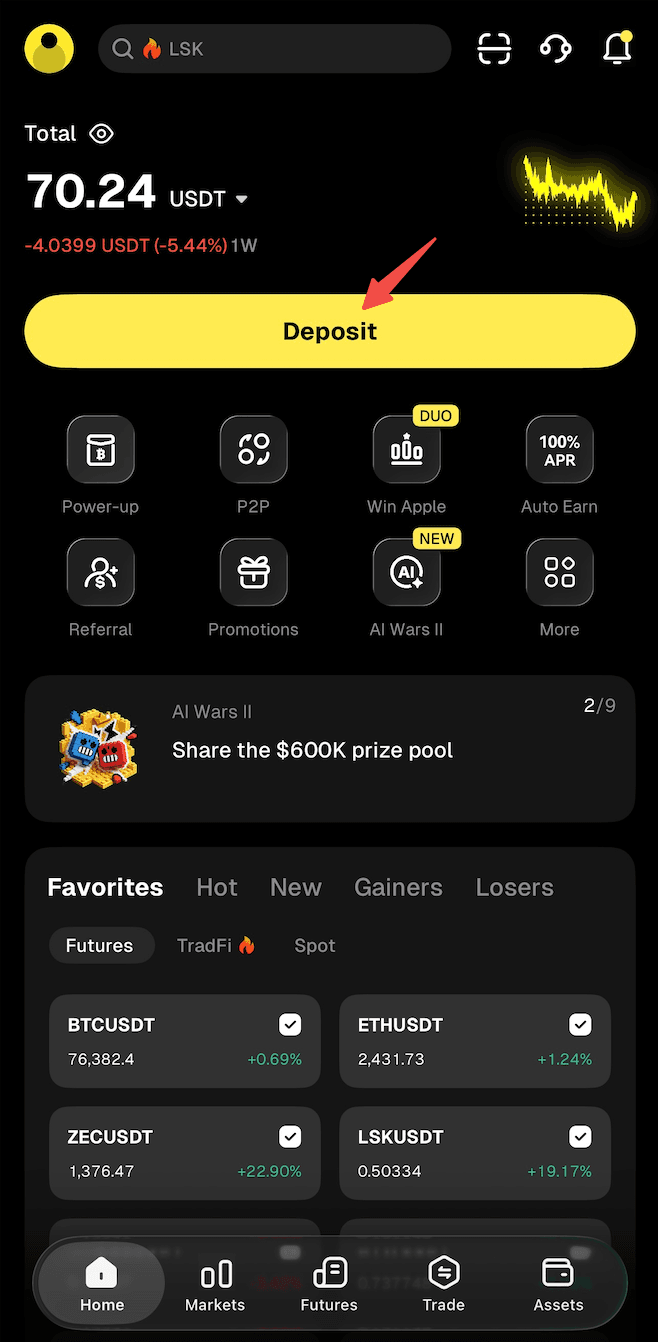
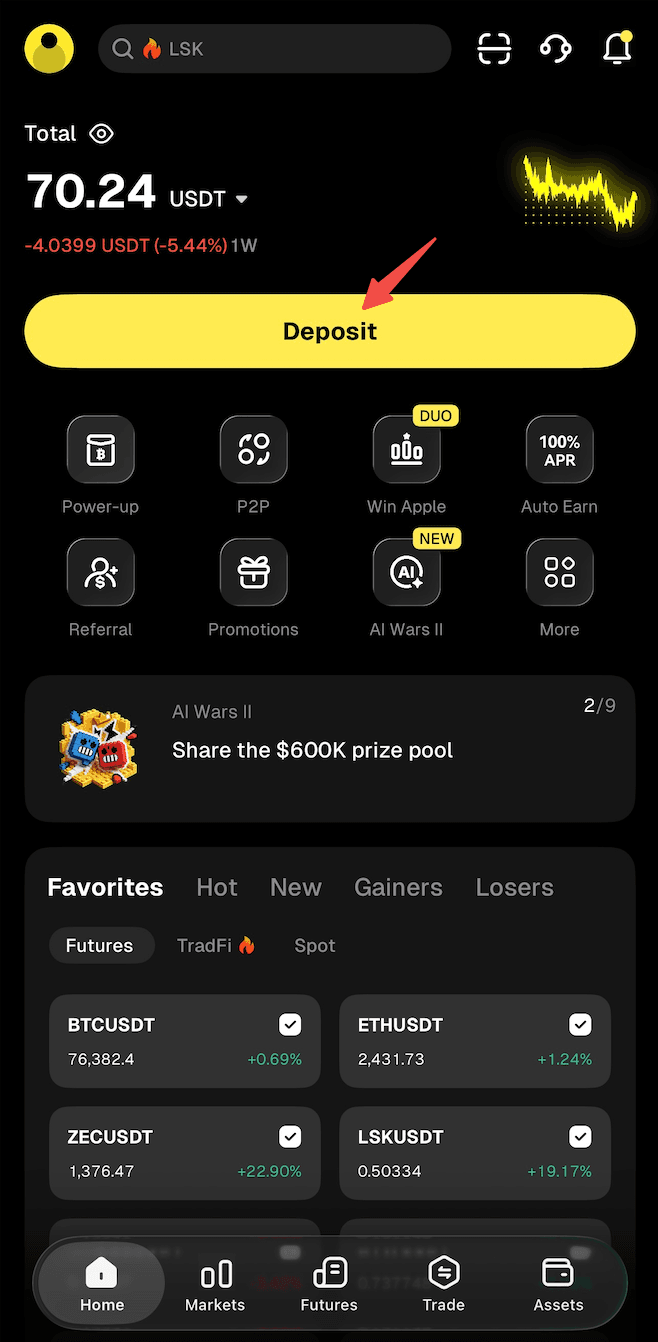
Step 1: From the app homepage, tap "Deposit." Or go to the "Assets" page and tap "Buy Crypto."
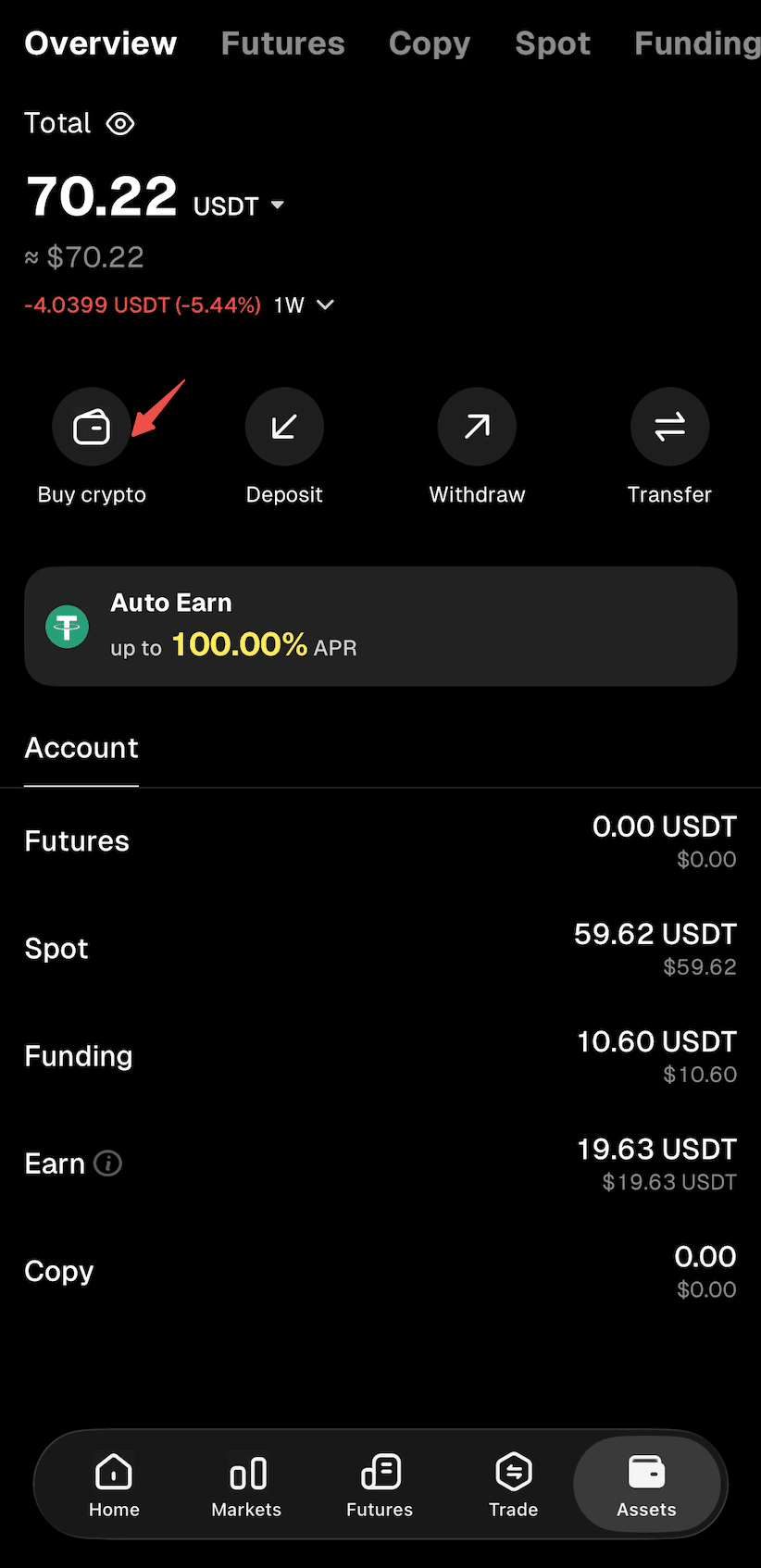
Step 2: Select "Buy Crypto" as the deposit method to enter the "Quick Buy" page.
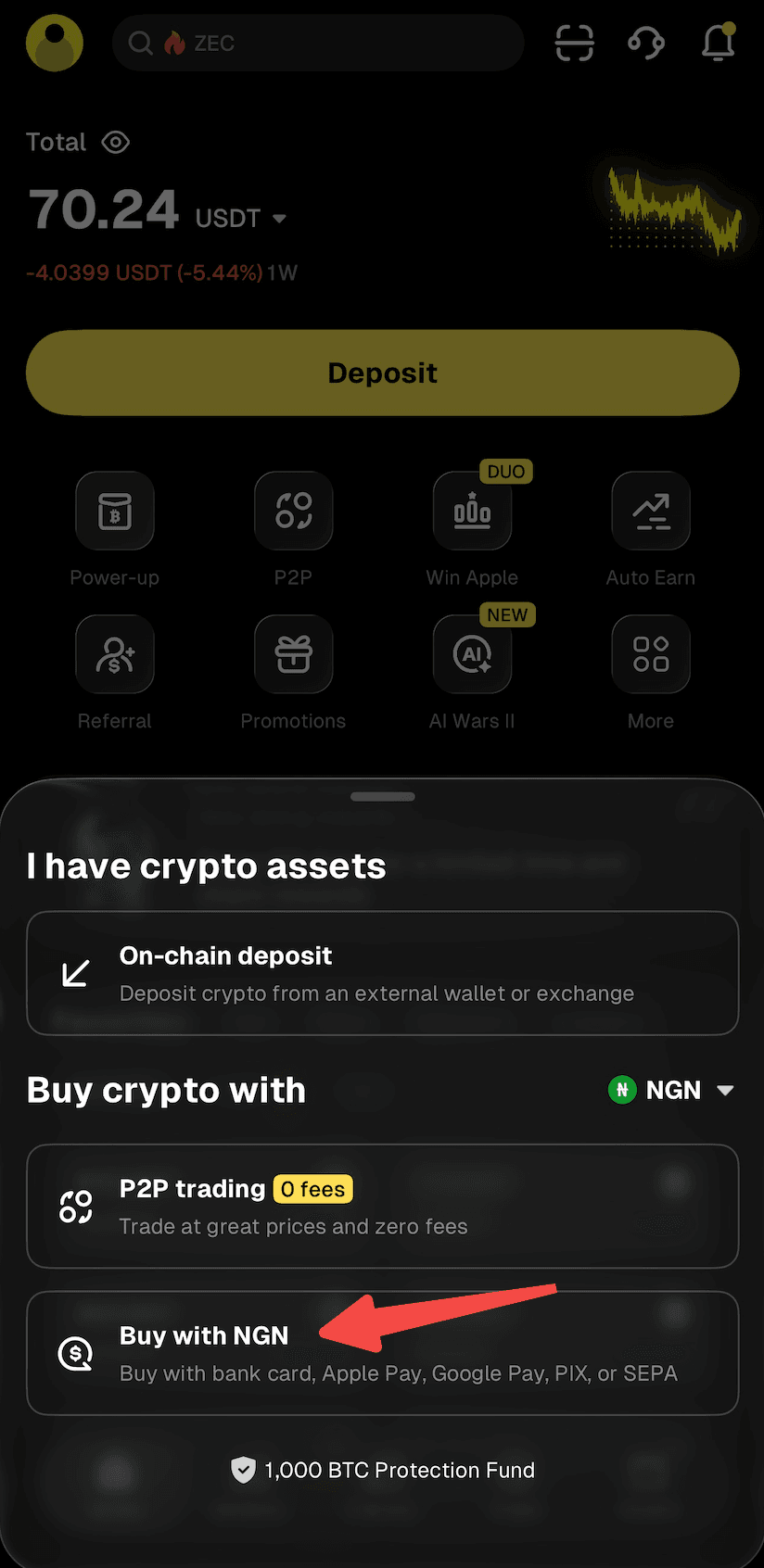
Step 3: Select "NGN" as your fiat currency and "USDT" as the crypto you want to buy. Enter the amount of NGN you'd like to pay, and the crypto amount will be calculated automatically.
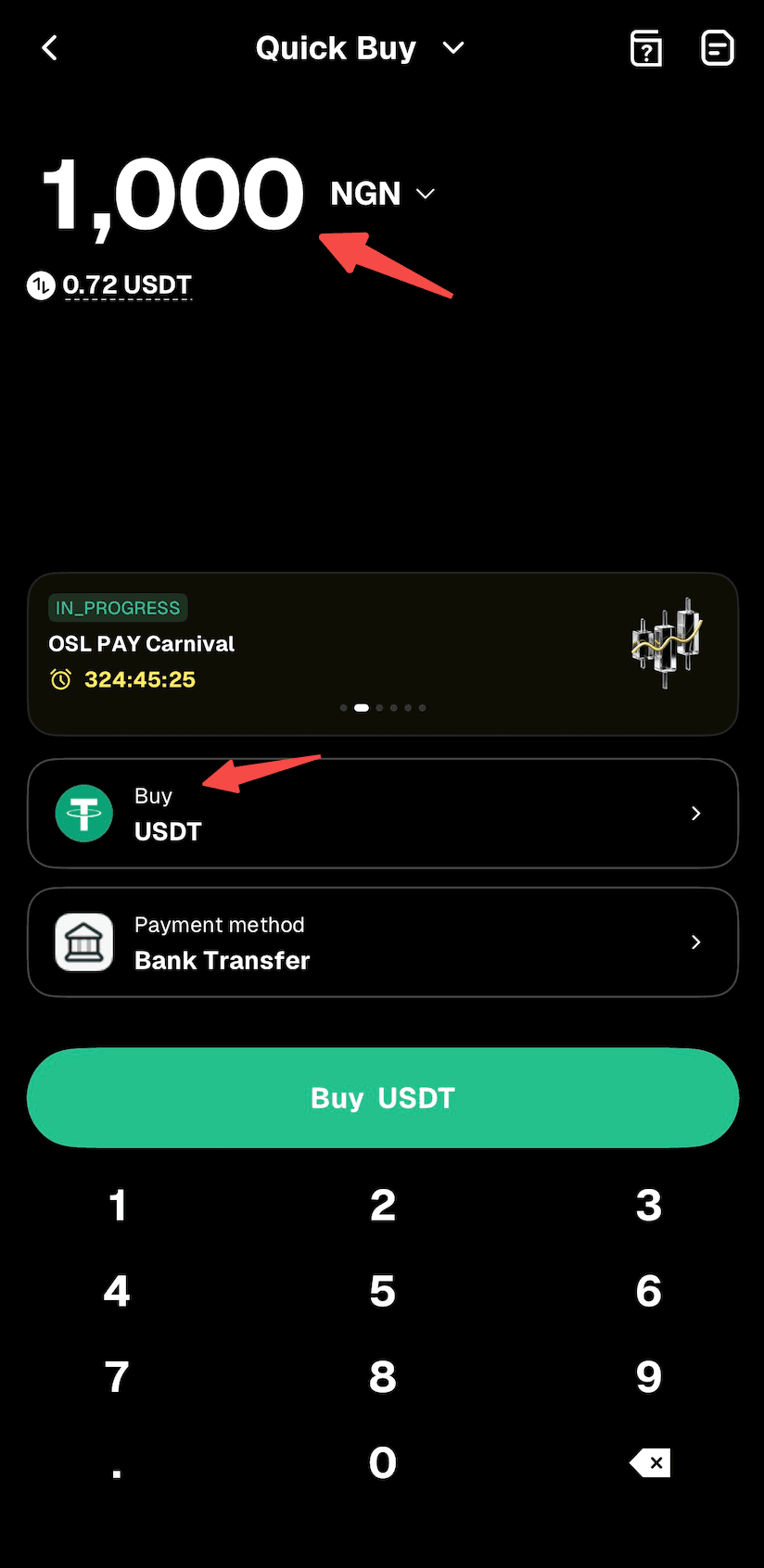
Step 4: Choose "Bank Transfer" as your payment method.
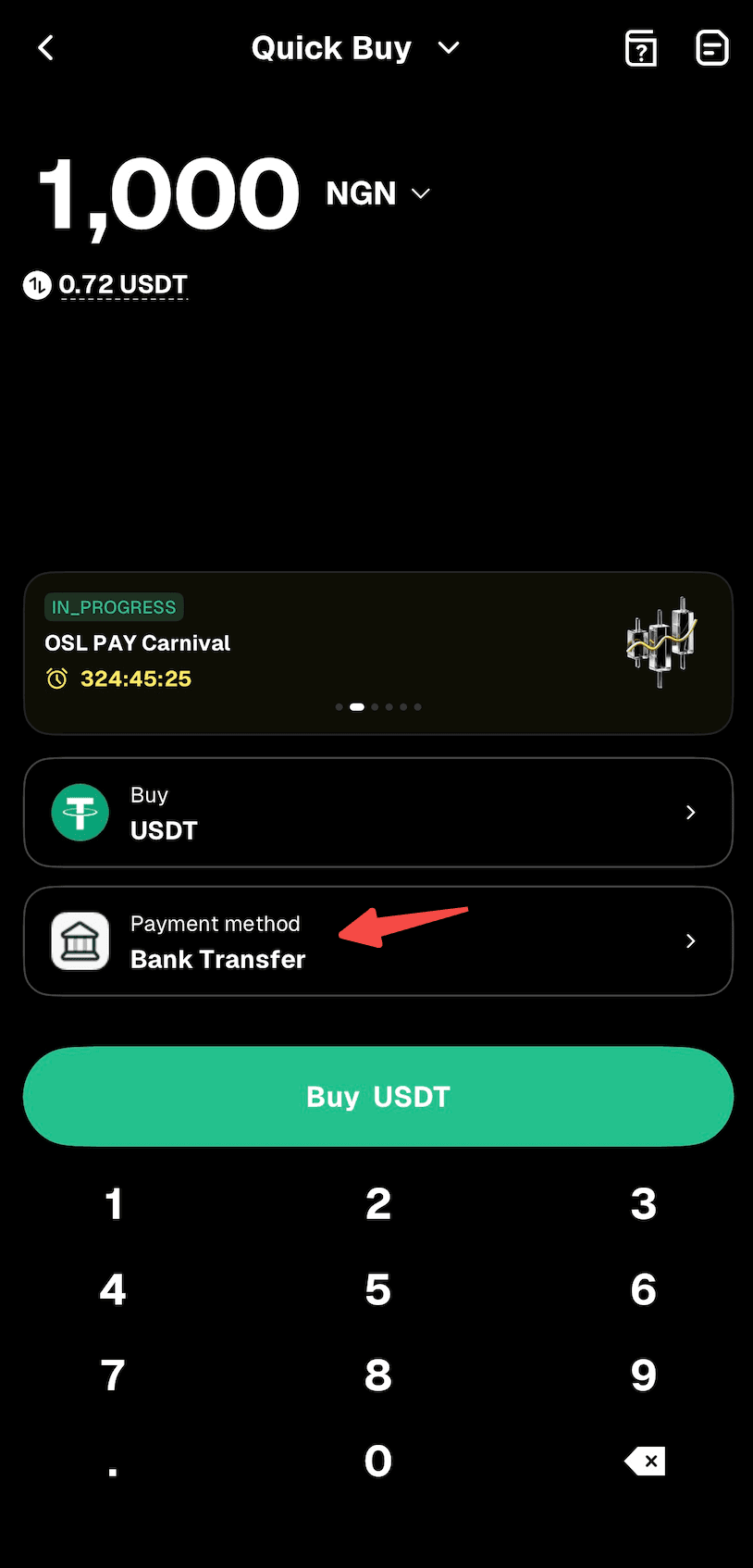
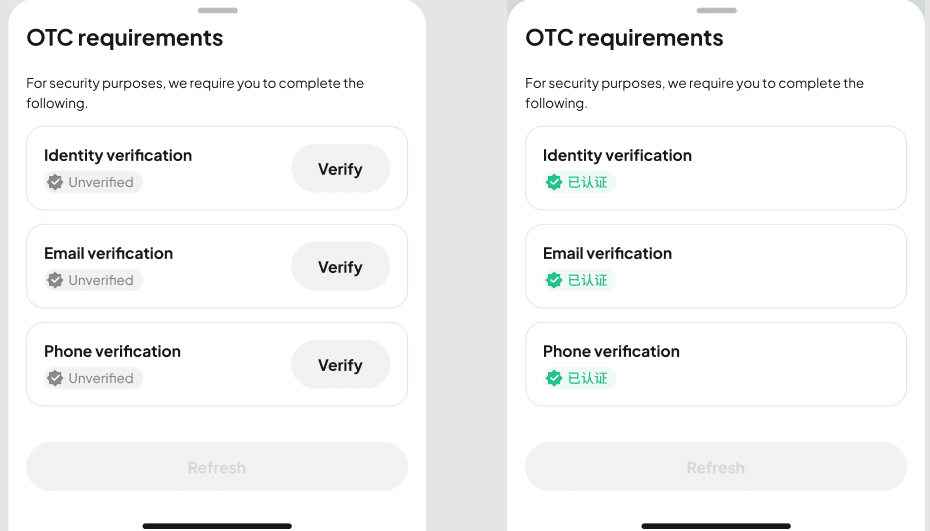
Step 5: Use the "Buy" button to proceed. Note: If you haven't completed identity verification or linked your email address and phone number, you'll be directed to Step 6. If you've already done so, you'll proceed to Step 7.
Step 6: Follow the on-screen instructions to complete identity verification and link your email address and phone number, then wait for approval.
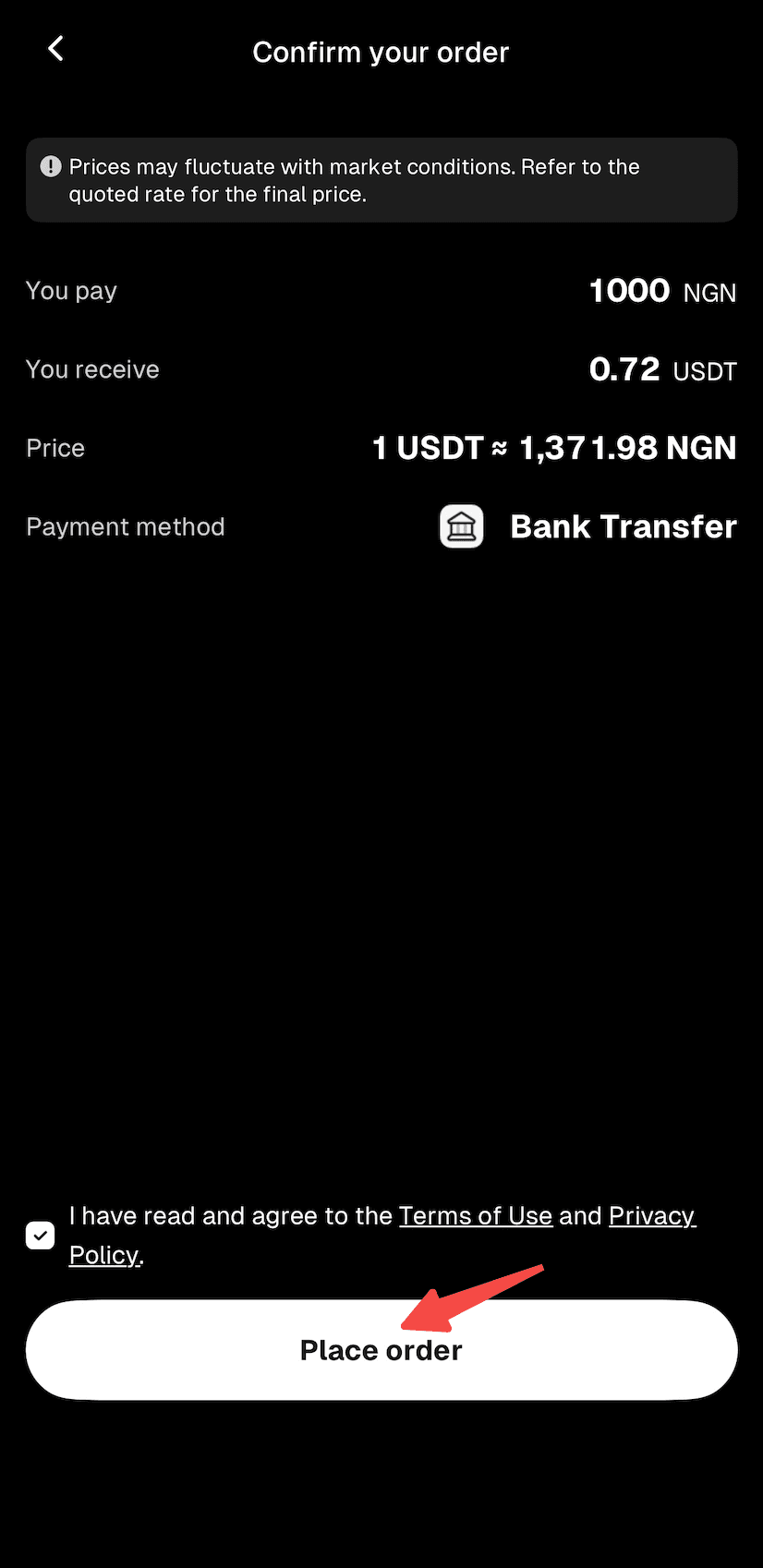
Step 7: Confirm the order details, then proceed with "Place Order."
Step 8: You'll receive the bank transfer details. Double-check all information and complete the transfer within 15 minutes.
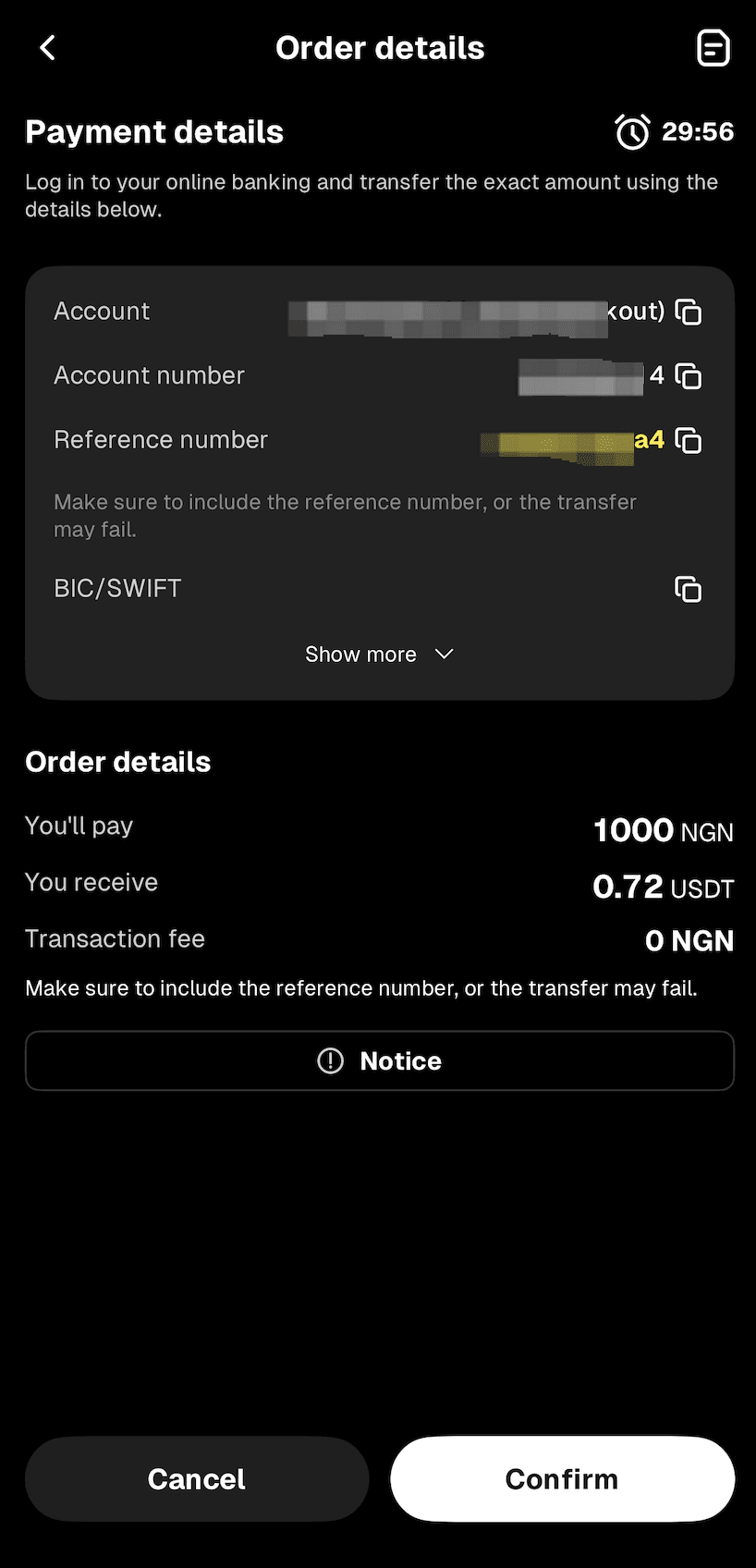
Step 9: Open your mobile banking app and complete the payment. Note: Enter the account name, account number, and reference number correctly to ensure smooth processing.
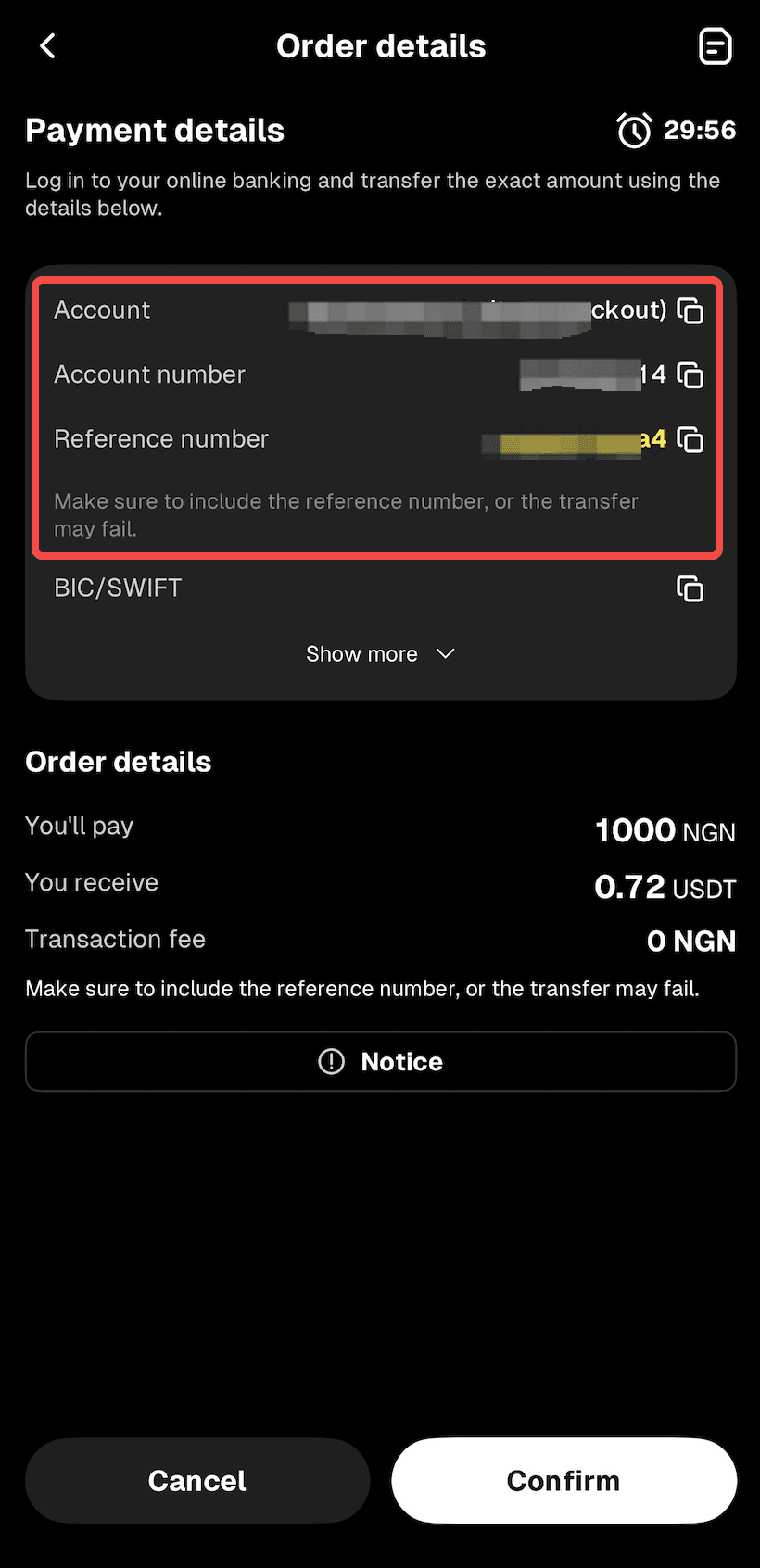
Step 10: Wait while the transaction is being processed. Your order will be completed automatically once payment is received. You can check the status in "Fiat Orders."
Method 2
Step 1: From the app homepage, tap "Deposit." Or go to the "Assets" page and tap "Buy Crypto."
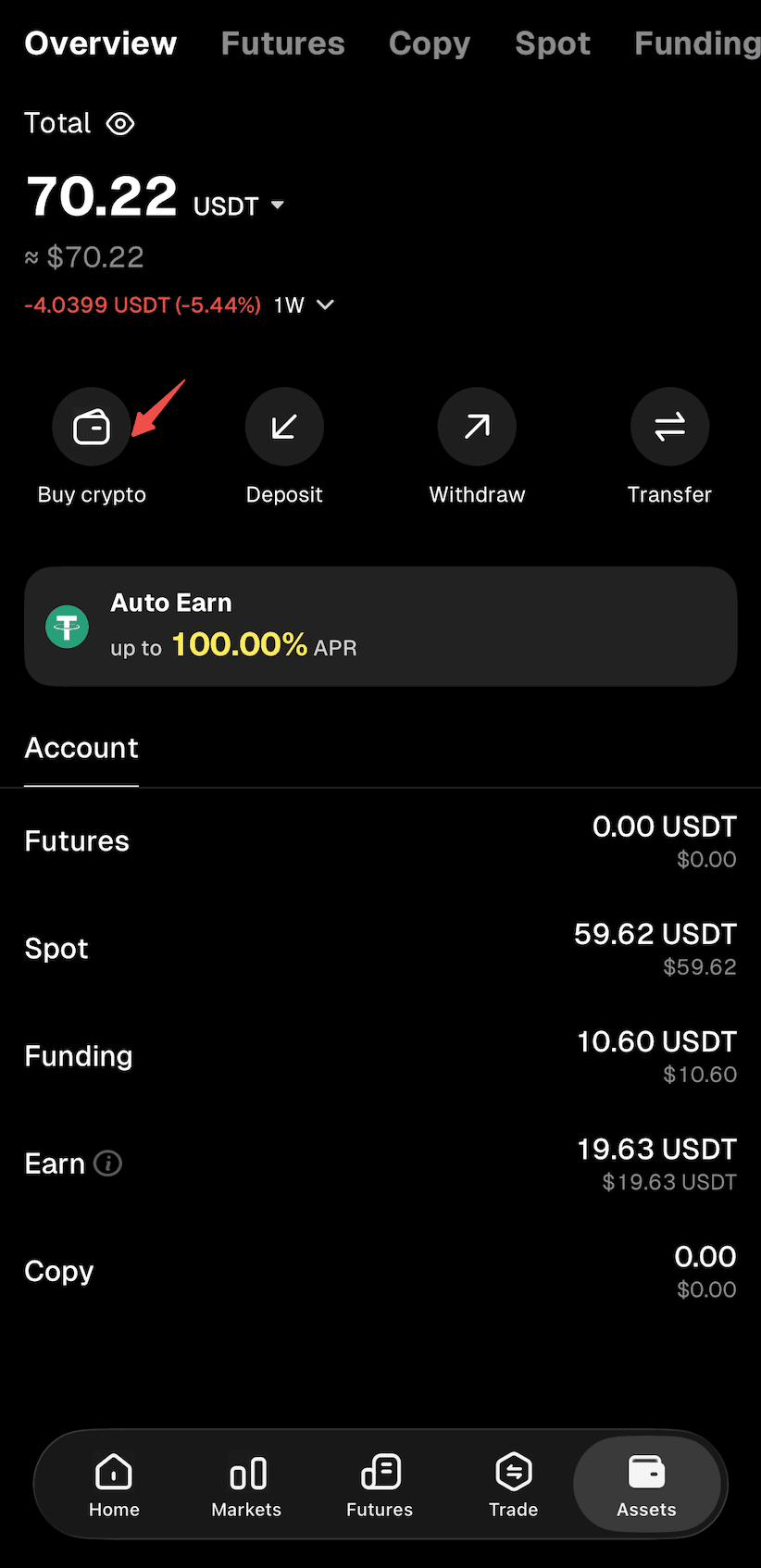
Step 2: Select "Buy Crypto" as the deposit method to enter the "Quick Buy" page.
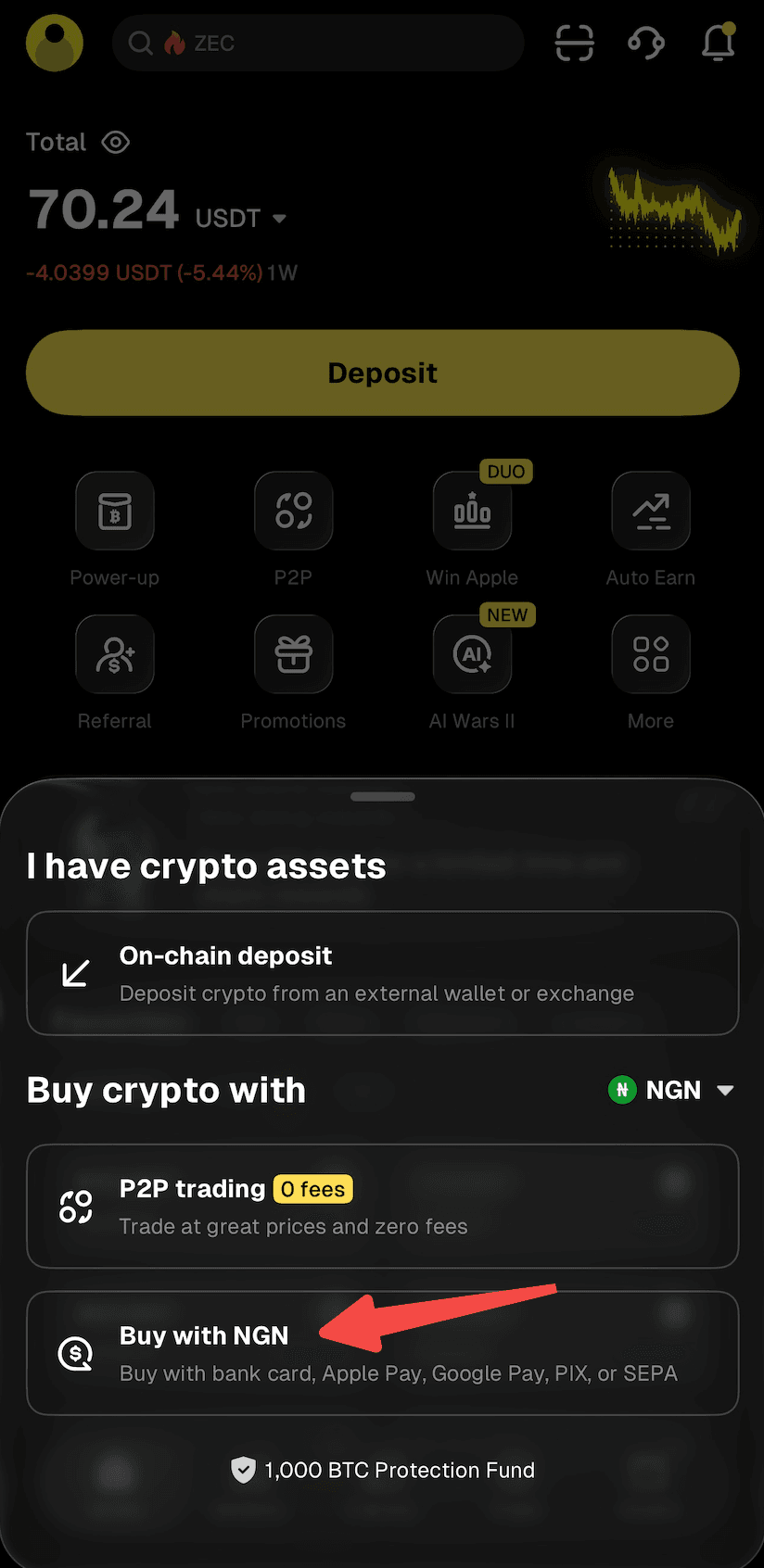
Step 3: Select "Bank Transfer" and proceed.
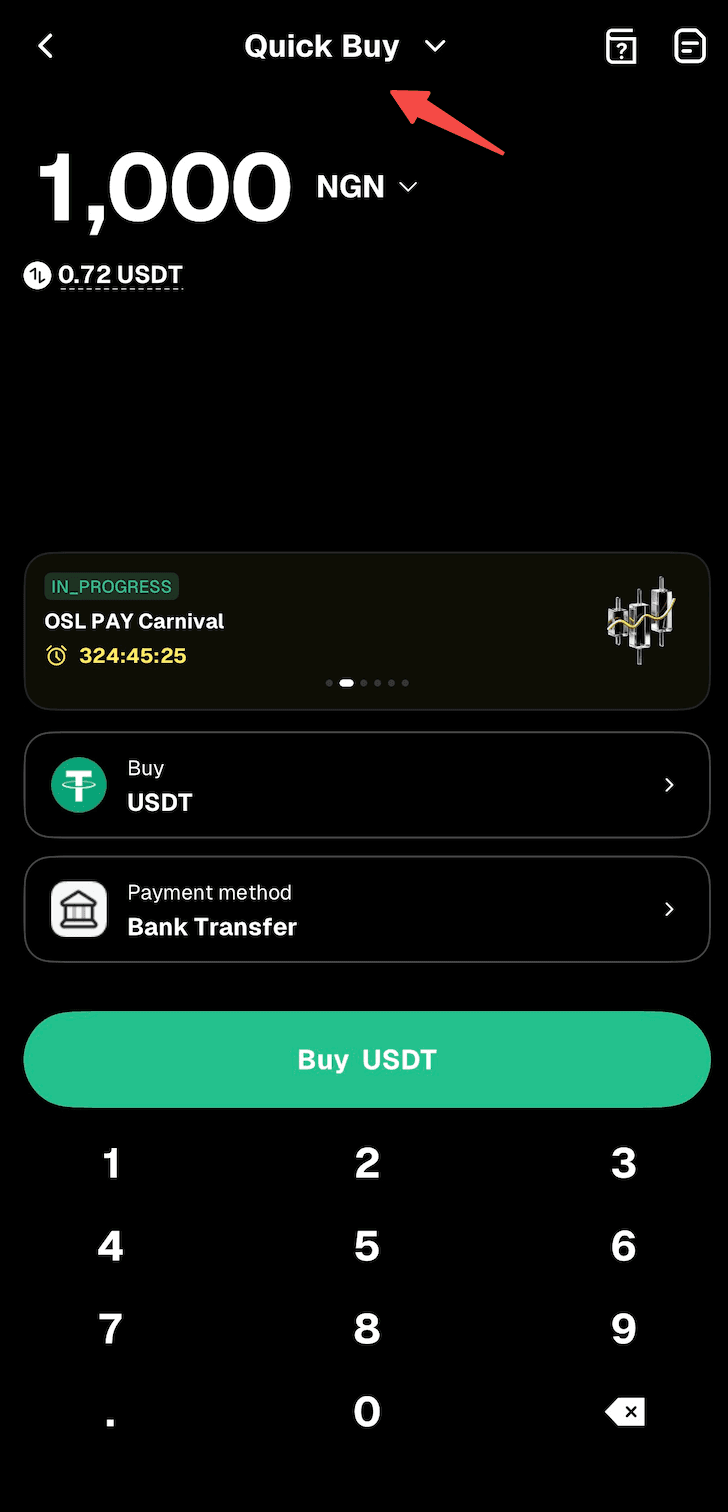
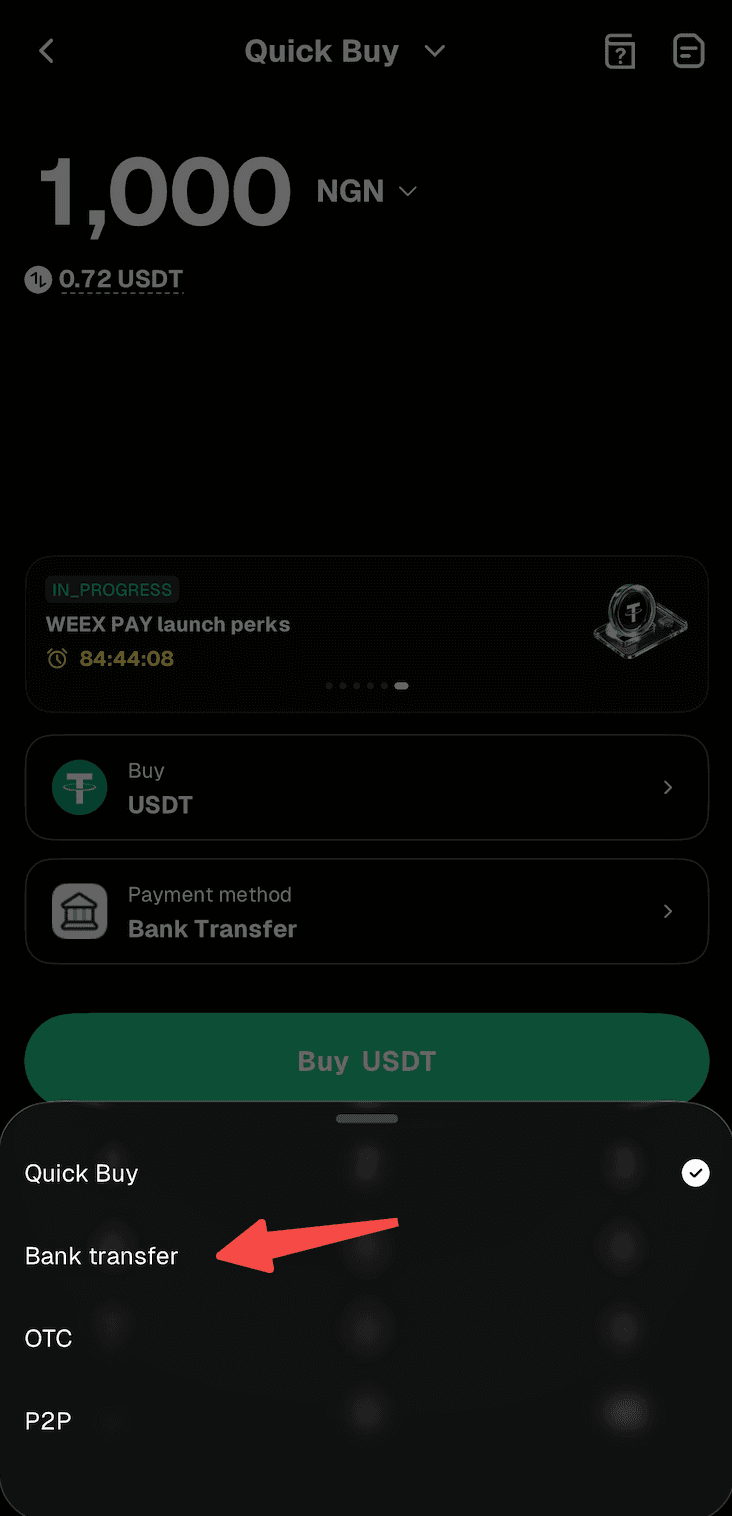
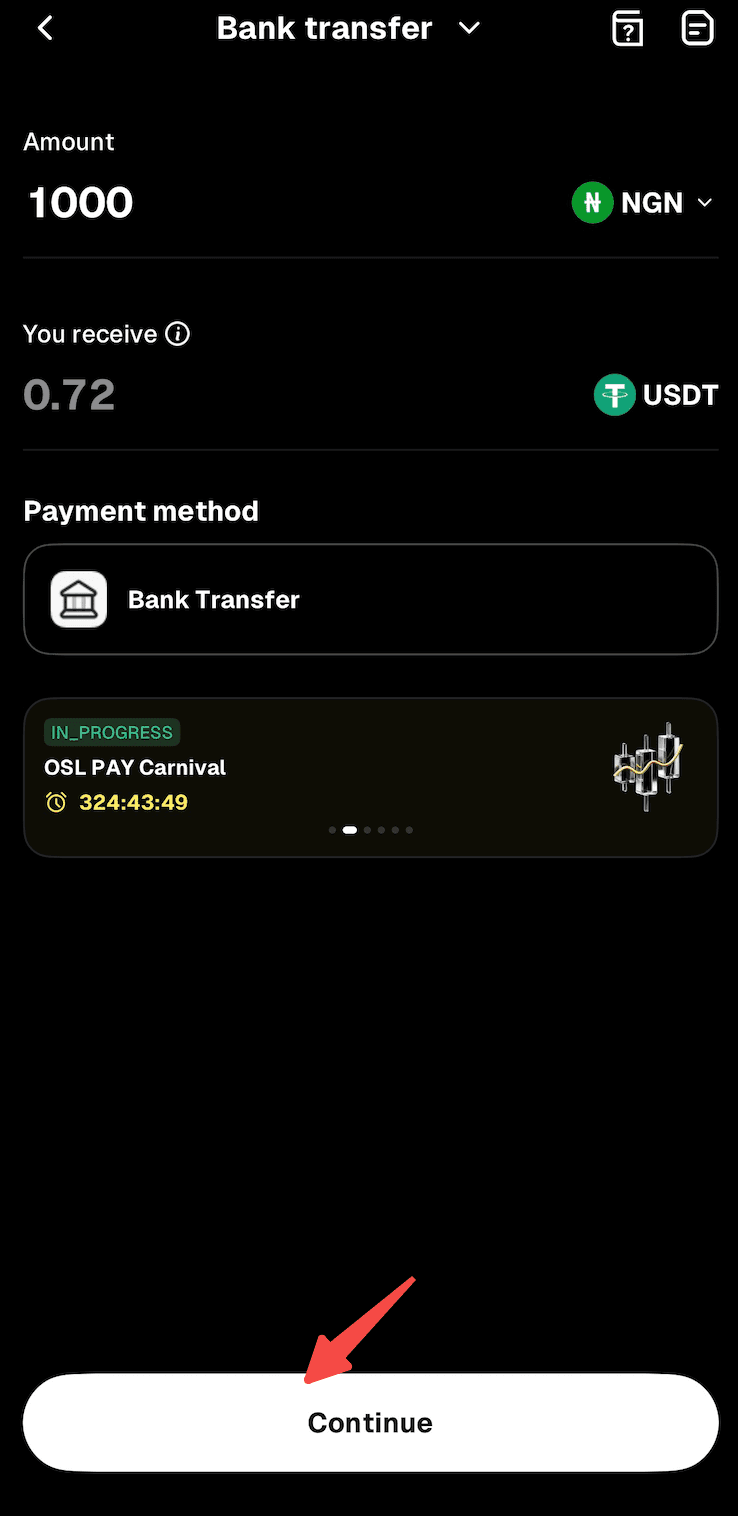
Step 4: Enter the amount of NGN you'd like to pay. The crypto amount will be calculated automatically.
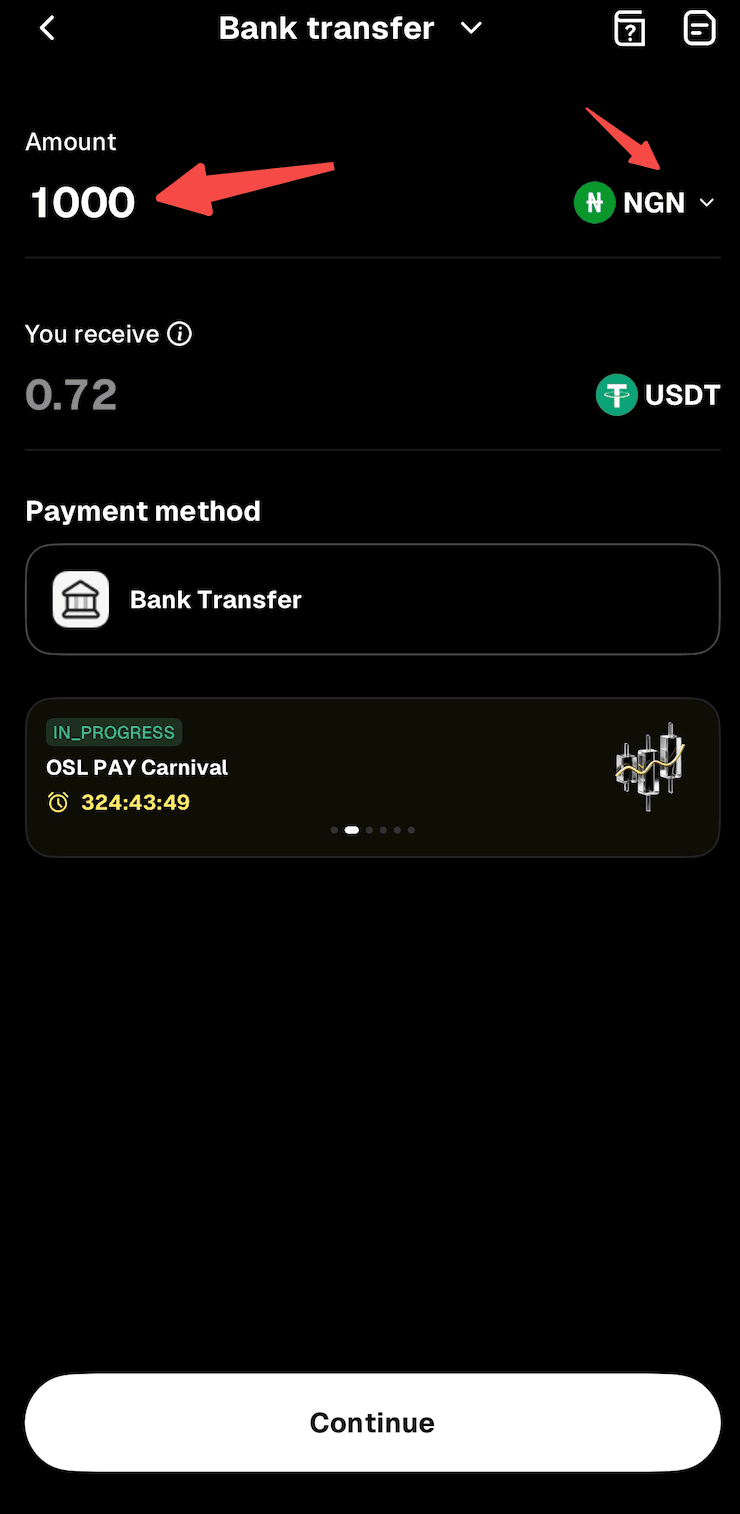
Step 5: Tap "Continue" to proceed. Note: If you haven't completed identity verification or linked your email address and phone number, you'll be directed to Step 6. If you've already done so, you'll proceed to Step 7.
Step 6: Follow the on-screen instructions to complete identity verification and link your email address and phone number, then wait for approval.
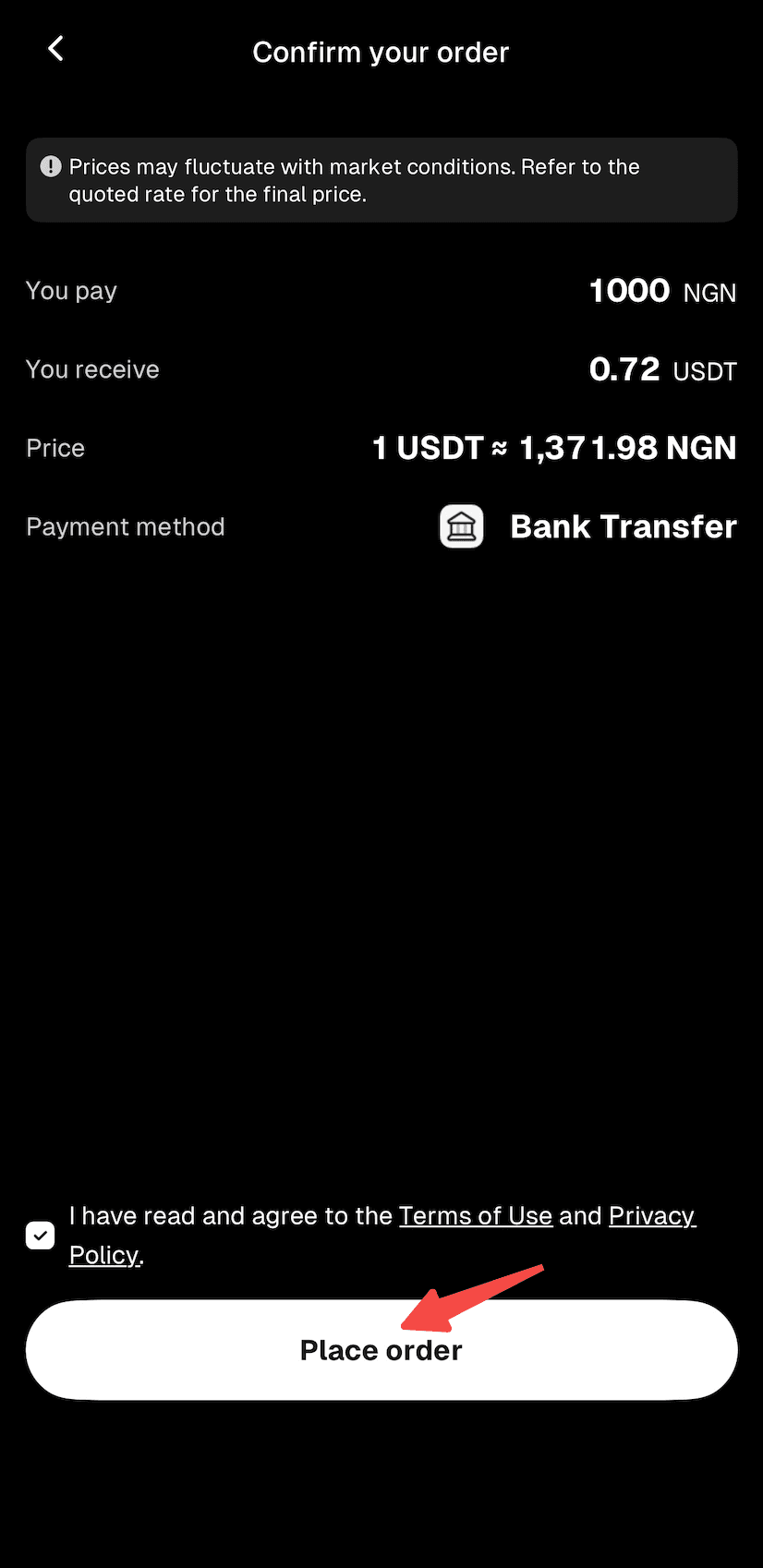
Step 7: Confirm the order details, then proceed with "Place Order."
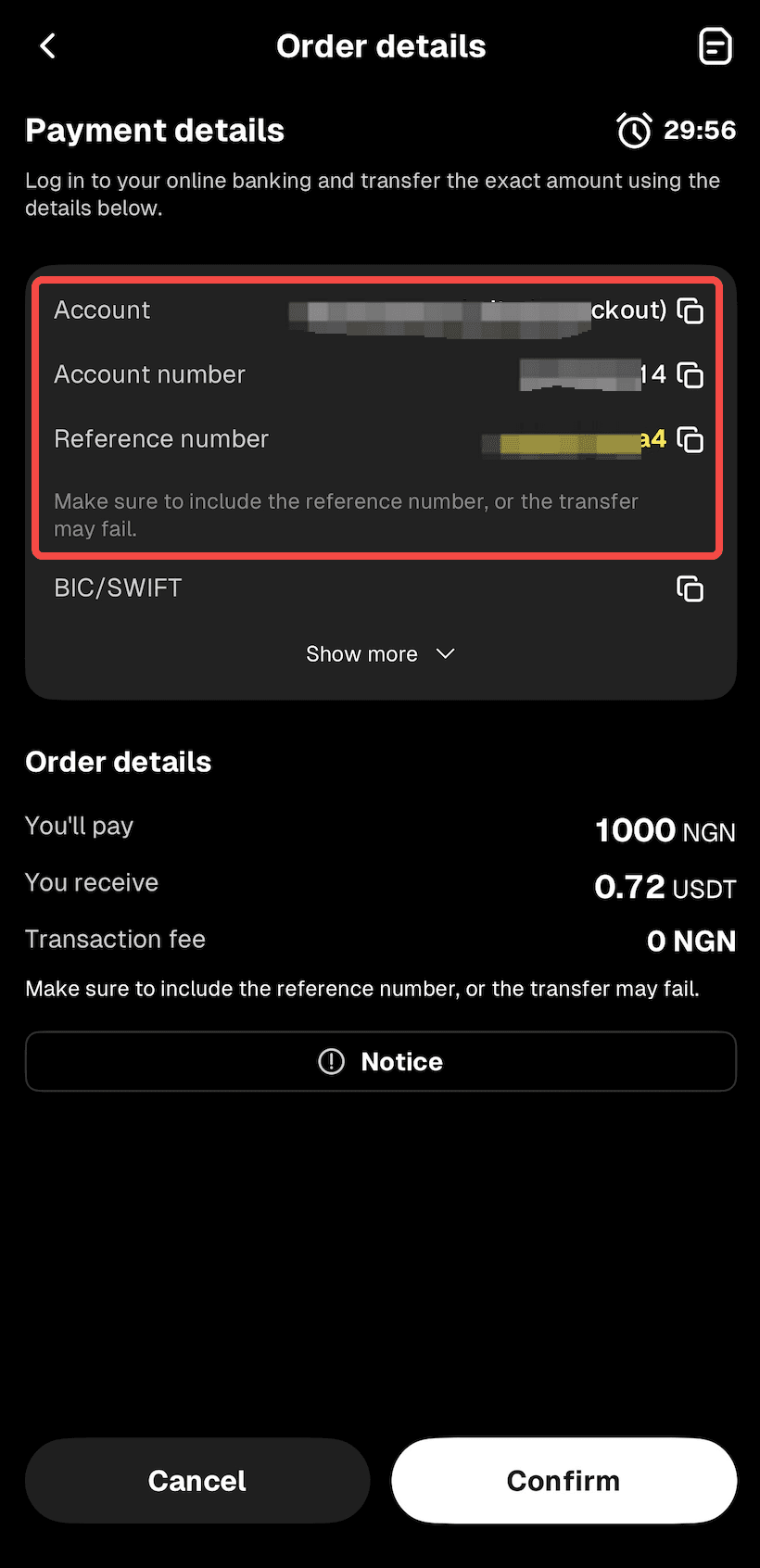
Step 8: You'll receive the bank transfer details. Double-check all information and complete the transfer within 15 minutes.
Step 9: Open your mobile banking app and complete the payment. Note: Enter the account name, account number, and reference number correctly to ensure smooth processing.
Step 10: Wait while the transaction is being processed. Your order will be completed automatically once payment is received. You can check the status in "Fiat Orders."
Related articles
Share
Gainers


Customer Support:@weikecs
Business Cooperation:@weikecs
Quant Trading & MM:bd@weex.com
VIP Program:support@weex.com
