


How to Use the WEEX Trust Center to Check Reserves, the Protection Fund, and Official Contacts
How to Use the WEEX Trust Center to Check Reserves, the Protection Fund, and Official Contacts
The WEEX Trust Center is a starting point for checking WEEX’s Proof of Reserves, its 1,000 BTC Protection Fund, security information, and official contact channels. Open the page, choose the question you want to answer, and follow the relevant evidence link: compare reserves with user holdings, inspect the fund’s public wallet, or check a suspicious contact with the verifier. Each tool answers a different question, so reading them together gives you a clearer picture than relying on a single security claim.
Our view is that a trust page is most useful when it helps users check a claim themselves. A reserve ratio, a public Bitcoin address, and a contact verification result are different kinds of evidence. The WEEX Trust Center brings their entry points together; this guide shows which one to use in a given situation, how to read the result, and where to find the underlying details.
At a Glance
| Your Question | Where to Start in the Trust Center | What to Check |
|---|---|---|
| Does WEEX publish reserves against user holdings? | Proof of Reserves and Reserve snapshot | Asset, ratio, snapshot time, and verification information |
| Can I inspect the Protection Fund? | BTC Protection Fund | Public wallet link, on-chain balance, and coverage terms |
| Is this website or support contact official? | Contact verifier | The exact URL, email, phone number, or social handle |
| What security information does WEEX publish? | Security and page footer | Wallet practices, user guidance, and relevant policy documents |
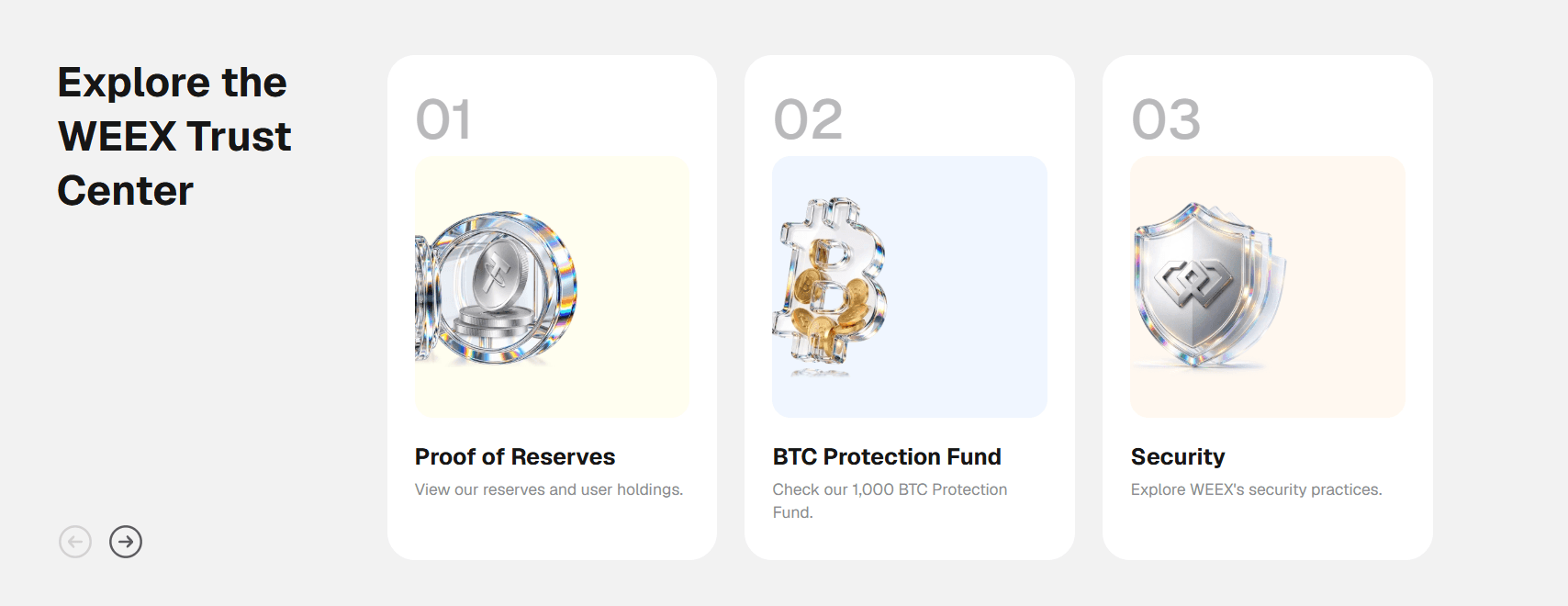
What Is the WEEX Trust Center?
The WEEX Trust Center is the public page at weex.com/trust-center that gathers several trust and verification resources in one place. Its main entry points are Proof of Reserves, BTC Protection Fund, Security, Contact verifier, and FAQ. The page also displays a reserve snapshot area, a link to the fund’s public wallet, security descriptions, and links to relevant legal and privacy documents.
You do not need to treat these sections as five versions of the same claim. Proof of Reserves concerns assets held against user balances at a stated point in time. The Protection Fund is a separate pool with its own purpose and eligibility terms. The contact verifier helps identify official WEEX channels. The security section describes practices and points users toward account guidance.
This distinction matters when you have a specific question. If you want to know whether an unexpected Telegram account belongs to WEEX, a reserve ratio will not answer it. If you want to understand a reported reserve ratio, the fund wallet balance will not explain the ratio’s calculation. Start with the evidence that matches your question.
How Do You Navigate the WEEX Trust Center?
Open the Trust Center directly from a browser address you trust. Near the top of the page, select the entry point that matches what you want to check. You can then move from the summary on the Trust Center to a more detailed WEEX page or an external verification destination where the page provides one.
A practical first visit follows this order:
- Identify your question. Decide whether you are checking reserves, the fund, an incoming contact, or account security. This keeps you from interpreting an unrelated figure as an answer.
- Read the Trust Center summary. Note the exact claim and the label attached to it. For example, the reserve area defines a reserve ratio as platform reserves divided by user holdings.
- Open the relevant detail or verification link. Use the Proof of Reserves page, Protection Fund page, or WEEX Contact Verifier for the next level of detail.
- Check the date, scope, or eligibility rule. A dated asset snapshot, a current wallet balance, and a contact lookup each have different conditions for interpreting the result.
- Return when the information changes. Reserve snapshots and on-chain wallet balances can change. A contact should be checked whenever a new or unexpected identifier approaches you.
You can browse the public page without first making a trade. Some deeper checks, such as verifying the inclusion of your own account balance using available account data, may require you to sign in and follow the instructions on the Proof of Reserves page.
How Do You Check WEEX Proof of Reserves?
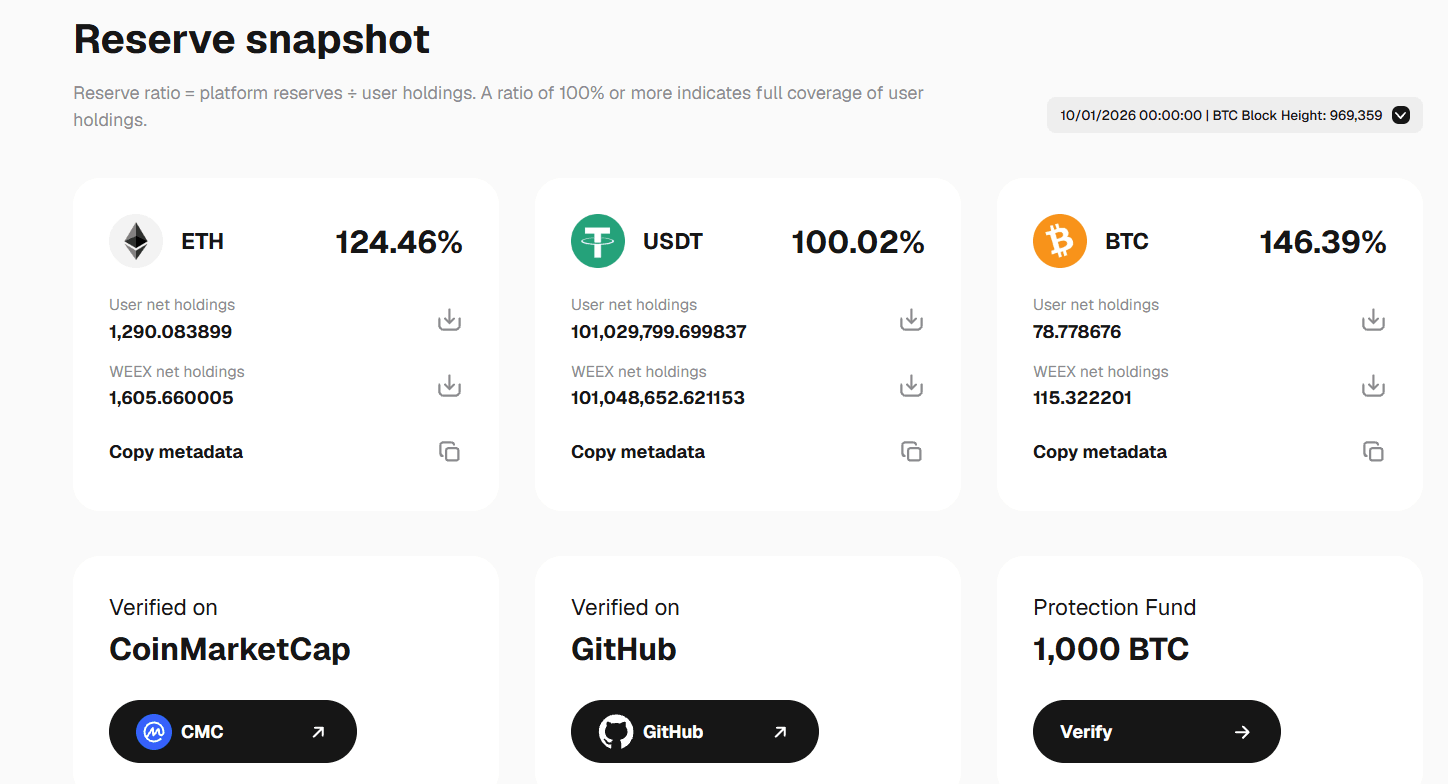
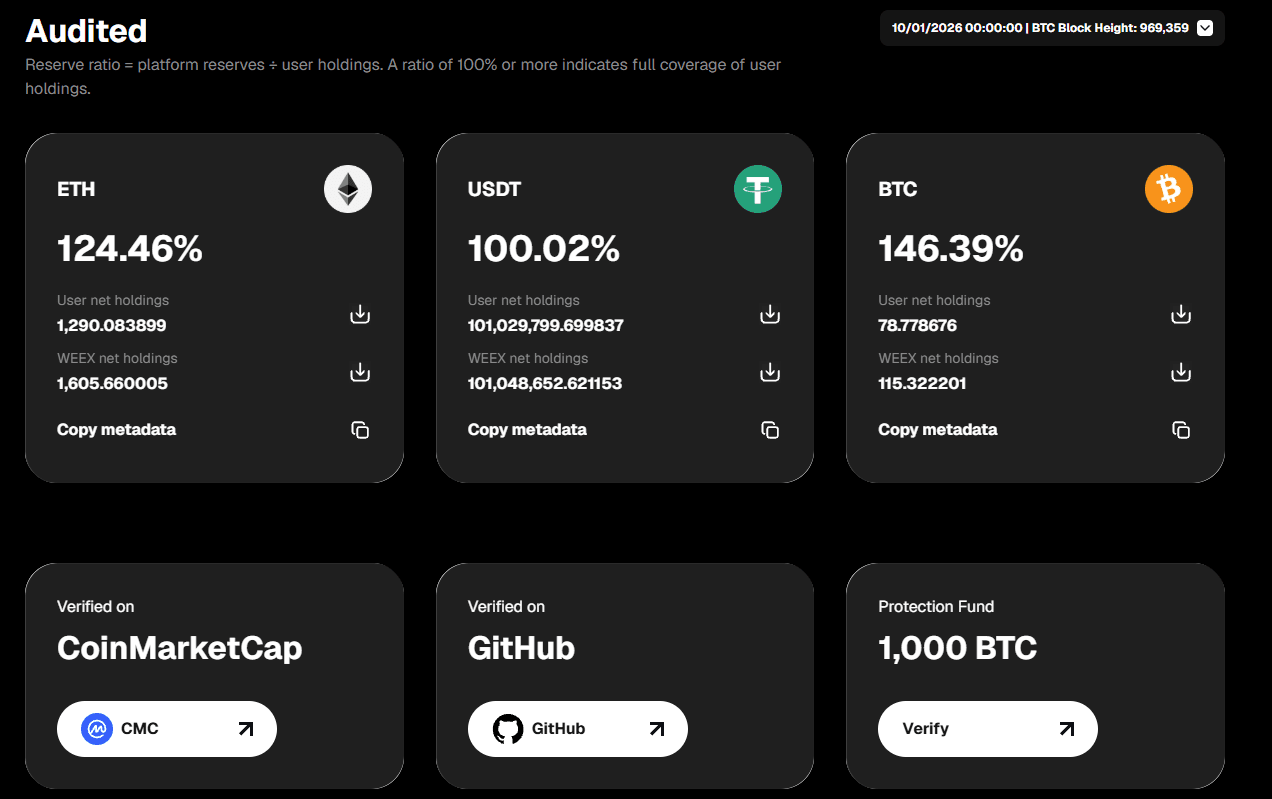
Start at the Proof of Reserves entry on the WEEX Trust Center, then open the dedicated WEEX Proof of Reserves page. The page defines its reserve ratio as:
Reserve ratio = platform reserves ÷ user holdings
Under that definition, a ratio of 100% means the reported platform reserve equals the reported user holdings for the asset in that snapshot. A ratio above 100% means the reported reserve is greater. Always check which asset a ratio belongs to: a BTC ratio does not tell you the USDT ratio, and a combined headline cannot replace an asset-specific comparison.
Read the snapshot in this sequence. First, identify the asset you hold or care about. Next, compare its platform reserve with user holdings and read the corresponding ratio. Then note the snapshot’s date and time and any block height shown. Finally, look at the verification resources and the audit scope on the more detailed page.
The timestamp is essential because Proof of Reserves is a snapshot, not a continuous reading of every later moment. A block height identifies the blockchain reference displayed for that snapshot. If a screenshot of a ratio circulates without its asset and date, open the live Trust Center instead of assuming the screenshot is current.
The Trust Center also links to CoinMarketCap and GitHub in its reserve area. If you want to go beyond reading the displayed ratio, use the verification material reached from the official page and follow its current instructions. The practical question is whether you can connect the reported figure to its stated methodology and, where supported, check the inclusion of your own balance.
Example: Suppose a page showed 105 units of an asset held against 100 units of user holdings at a stated snapshot time. The reserve ratio would be 105% for that asset at that time. Those figures are only an illustration; they are not WEEX’s current reserve figures. The method is to read the live asset row, calculate or confirm the ratio, and retain the date alongside it.
A reserve snapshot is one part of exchange transparency. It tells you what the published comparison says for its covered assets and observation time. It does not, by itself, answer whether an unsolicited message is genuine or whether a particular loss is eligible under a protection program. Those questions belong to other sections of the Trust Center.
How Do You Verify the WEEX 1,000 BTC Protection Fund?
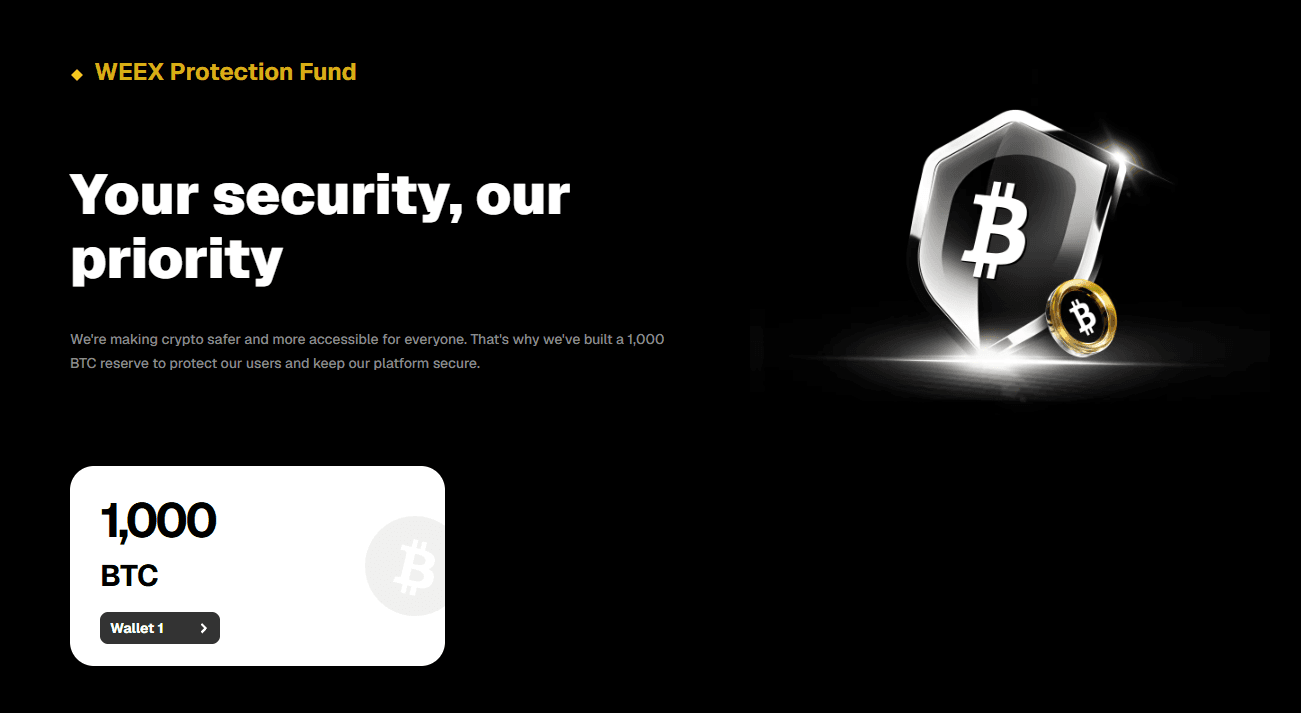
On the WEEX Trust Center, find BTC Protection Fund or the fund’s Verify / Wallet link. The page presents a 1,000 BTC Protection Fund and gives users a route to view its public wallet information. Follow the wallet link to a blockchain explorer and compare what you see there with the fund information presented by WEEX.
There are two separate checks:
- Holdings check: Does the official page link to a public address, and what balance and transaction history does the explorer show when you check it?
- Coverage check: What circumstances does the fund cover, and how does a user request assistance?
The wallet check shows on-chain activity associated with the linked address. It does not establish that every individual loss qualifies for compensation. For that, read the WEEX Protection Fund page. Its FAQ says the fund is intended for qualifying losses occurring through no fault of the user. It also sets out exclusions, including trading losses and transactions a user was tricked into or mistakenly authorizing. For an incident that may qualify, the page instructs users to contact support@weex.com within 30 days.
Do not confuse this Protection Fund with the futures risk reserve fund used in liquidation processes. They serve different purposes. The Trust Center’s BTC Protection Fund section is about the public fund and its stated coverage; it is not a promise to reimburse a losing trade or a substitute for reading the applicable terms.
For a reliable check, start from the wallet link on WEEX’s own Trust Center rather than copying an address from a social post. Note when you viewed the explorer, because an on-chain balance can change after an article or screenshot is published.
How Do You Check Whether a WEEX Website or Contact Is Official?
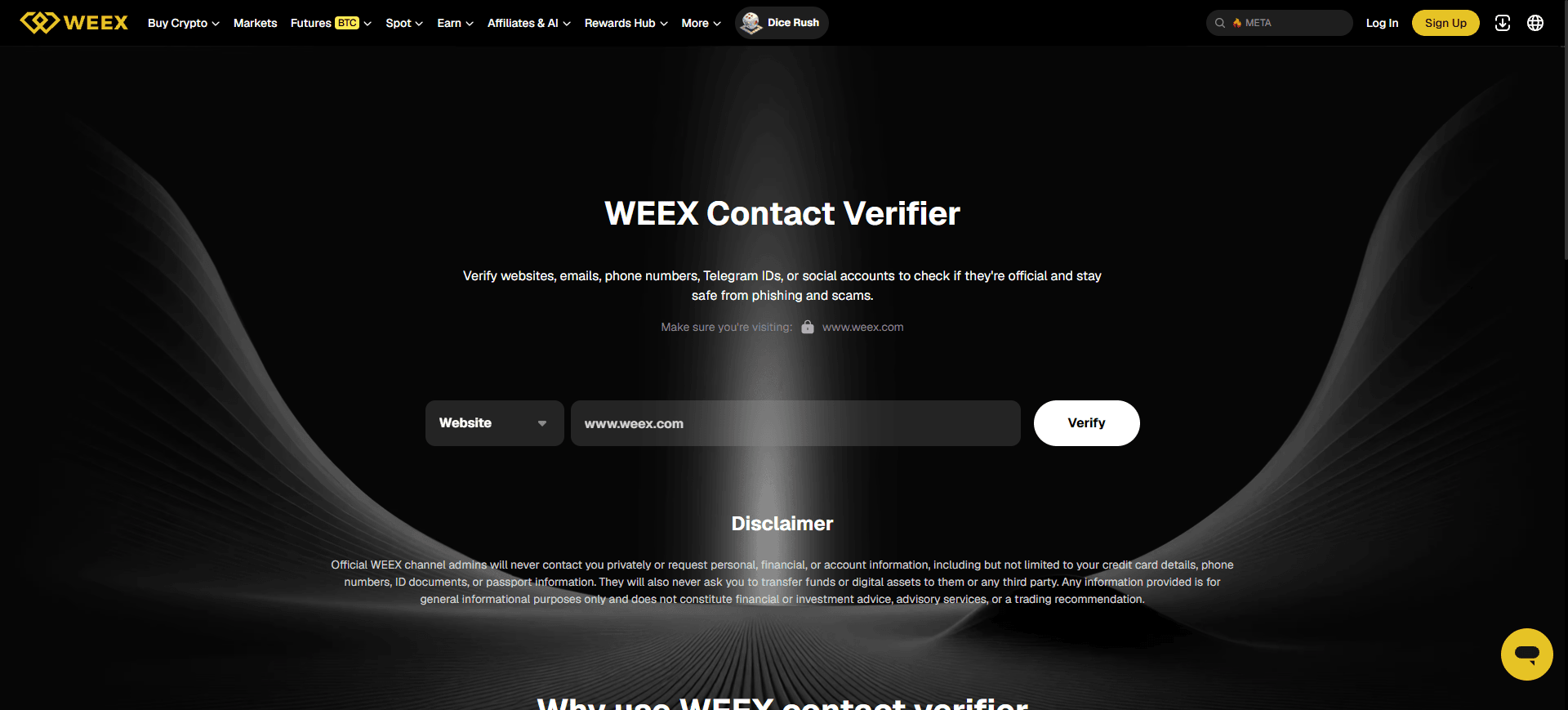
Use the Contact verifier entry on the Trust Center when an unfamiliar website, email, phone number, Telegram ID, or social account claims to represent WEEX. The linked WEEX Contact Verifier is designed to check those types of identifiers against official channel information.
The safest workflow begins before you open a link sent by the person you are checking:
- Copy the exact identifier you received. For a website, include the full domain you were asked to visit. For a social account, use the handle shown in the message.
- Type weex.com/trust-center into your browser yourself, then follow its Contact verifier entry.
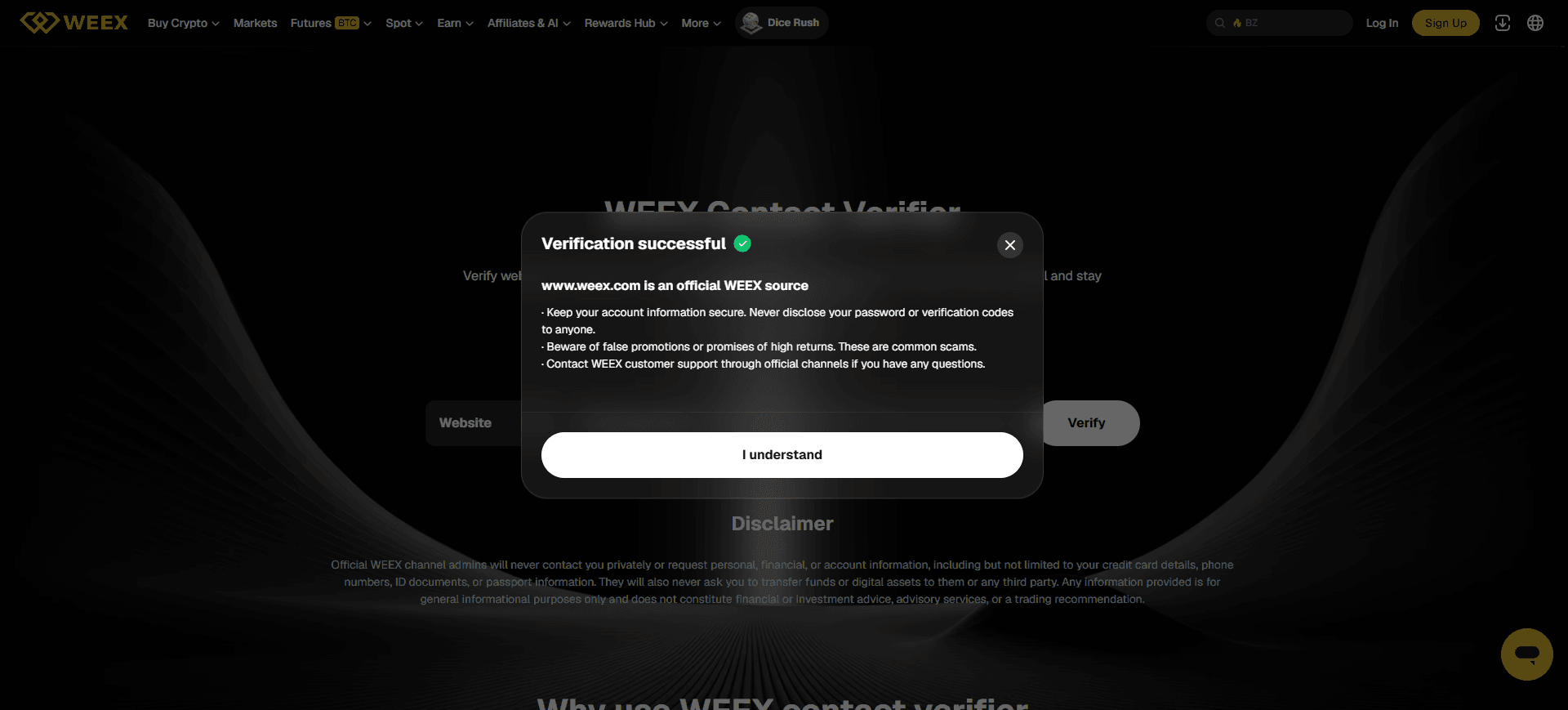
- Choose the relevant identifier type in the verifier, paste what you copied, and select Verify.
- Read the result before logging in, replying, sharing information, or moving assets. If you are unsure about a result, use a support route reached from the official WEEX site.
Small differences in spelling can matter. A website with an extra letter or a support handle with a substituted character should be checked as the exact string received, rather than judged by its logo or profile picture.
WEEX’s verifier page states that official channel administrators will not privately request personal, financial, or account information, and will not ask users to transfer funds or digital assets to them or a third party. That makes the verifier especially useful when a message applies pressure to act quickly. For more examples of moments that warrant a check, read Five Moments to Verify a WEEX Contact Before You Act.
A verification result answers whether an identifier matches WEEX’s official channel records. It is still sensible to confirm that you are on the genuine weex.com verifier page before entering anything. Never enter your account password, authentication code, or recovery information into a contact lookup.
What Security and Compliance Information Can You Find There?
The Trust Center’s Security section introduces WEEX’s wallet and custody framework, data and privacy safeguards, and user guidance. Its footer also links to documents such as the Privacy Policy, legal statements, risk disclosure, and other applicable terms. Use these as a route to the specific policy behind a broad page summary.
This section is useful when your question is about how to protect your own account. For example, the WEEX account security settings provide controls such as authenticator setup, passkeys, and an anti-phishing code, subject to what is available in your account. The WEEX account security guide explains how to review these settings. Reading about platform security and configuring account security are complementary actions.
Be precise when describing the Trust Center in published content. Its security section summarizes practices; the page itself should not be presented as proof of a particular license, a named independent security audit, or blanket insurance coverage unless the relevant document on the current page actually substantiates that claim. The supplied campaign brief likewise calls for avoiding licenses that the page does not state.
Which Trust Center Check Should You Use in a Real Situation?
The quickest way to make the page useful is to match the situation to the evidence it can provide. Consider these common scenarios.
You are considering a deposit. Open WEEX Trust Center, inspect the Proof of Reserves section, and read the latest available snapshot for the asset that matters to you. Confirm the ratio’s asset and timestamp on the detailed Proof of Reserves page. If a protection mechanism is relevant to your assessment, separately review its wallet and terms. These are distinct checks, so keep separate notes.
A “WEEX agent” sends you a login link. Pause and copy the sender’s identifier and the link’s domain. Reach the Contact Verifier from the Trust Center you opened independently. Check both the contact and the destination before taking any action. The reserve ratio cannot authenticate a sender; this tool addresses that immediate question.
You see a claim that WEEX holds a 1,000 BTC fund. Open the Trust Center’s BTC Protection Fund section and follow its public wallet link. Then read the fund’s coverage FAQ. The first action checks the linked on-chain holdings; the second tells you which circumstances the fund is designed to address.
You want to strengthen your account. Read the Security section and go to your account’s security settings. Configure the options appropriate to your account, including additional authentication and an anti-phishing code where available. The public Trust Center tells you where to learn about safeguards; your account settings are where you act on them.
This question-led route is more useful than treating a trust page as a single score. It gives you an action you can complete and a result you can interpret for each concern.
What Should You Do If a Figure or Link Looks Different Later?
A Trust Center guide can age in different ways. Reserve figures change when a new snapshot is published. A public wallet balance can change as blockchain transactions occur. Website labels and verification options can be updated. A screenshot or a previously published percentage should therefore be read with its capture date.
If a reserve figure in an older article differs from the page, check the snapshot timestamp on both before concluding that either is wrong. If the Trust Center shows loading placeholders instead of asset data, wait for the page to load or use the dedicated Proof of Reserves page; do not quote a placeholder as a reported value.
If a blockchain explorer and a static image differ, compare the explorer’s observation time with the image’s date. If a contact lookup does not return the result you expected, verify that you pasted the exact domain, address, or handle, then use official support for clarification. These steps keep a simple display difference from becoming an unsupported claim about the platform.
WEEX Editorial View: Make Every Trust Claim Checkable
A user should leave the WEEX Trust Center knowing what to click next. For reserves, that means reading the asset and timestamp alongside the ratio. For the Protection Fund, it means inspecting the public wallet and then the coverage terms. For an unexpected message, it means checking the exact contact before responding. The page is strongest when used as a repeatable route from a claim to its underlying evidence, especially as snapshots, wallet balances, and suspicious contacts change.
FAQ
1. What Can I Check on the WEEX Trust Center?
You can find entry points for Proof of Reserves, the 1,000 BTC Protection Fund, security information, the Contact Verifier, and frequently asked questions. Start at weex.com/trust-center and follow the section relevant to your question.
2. Does a Reserve Ratio Above 100% Apply to Every Asset?
No. Read the ratio for the specific asset and snapshot shown. WEEX defines the ratio as platform reserves divided by user holdings; a figure for one asset does not establish the figure for every other asset or for a later date.
3. Can I Verify the WEEX Protection Fund Myself?
The Trust Center links to public wallet information that you can inspect in a blockchain explorer. To understand whether a particular incident may qualify for assistance, also read the Protection Fund’s coverage and claim rules.
4. How Do I Check a Suspicious WEEX Telegram Account or Website?
Open the Trust Center independently, select Contact verifier, choose the identifier type, and enter the exact handle or domain. Check the result before replying, logging in, or transferring assets.
5. Does the Trust Center Mean All Trading Losses Are Covered?
No. The Trust Center links to different mechanisms with different purposes. The WEEX Protection Fund terms explicitly exclude trading losses. Read the applicable product rules and fund conditions for the question you are trying to answer.
Recommended Articles
- WEEX Proof of Reserves — Read the reserve methodology and current asset snapshot.
- WEEX Protection Fund — Check the public fund information, eligibility, and claim instructions.
- WEEX Account Security: The Five-Minute Setup Worth Doing — Configure the account controls introduced by the Trust Center.
- Five Moments to Verify a WEEX Contact Before You Act — Apply the contact verifier to common impersonation scenarios.

Gainers


